Loyalty Admin Tool
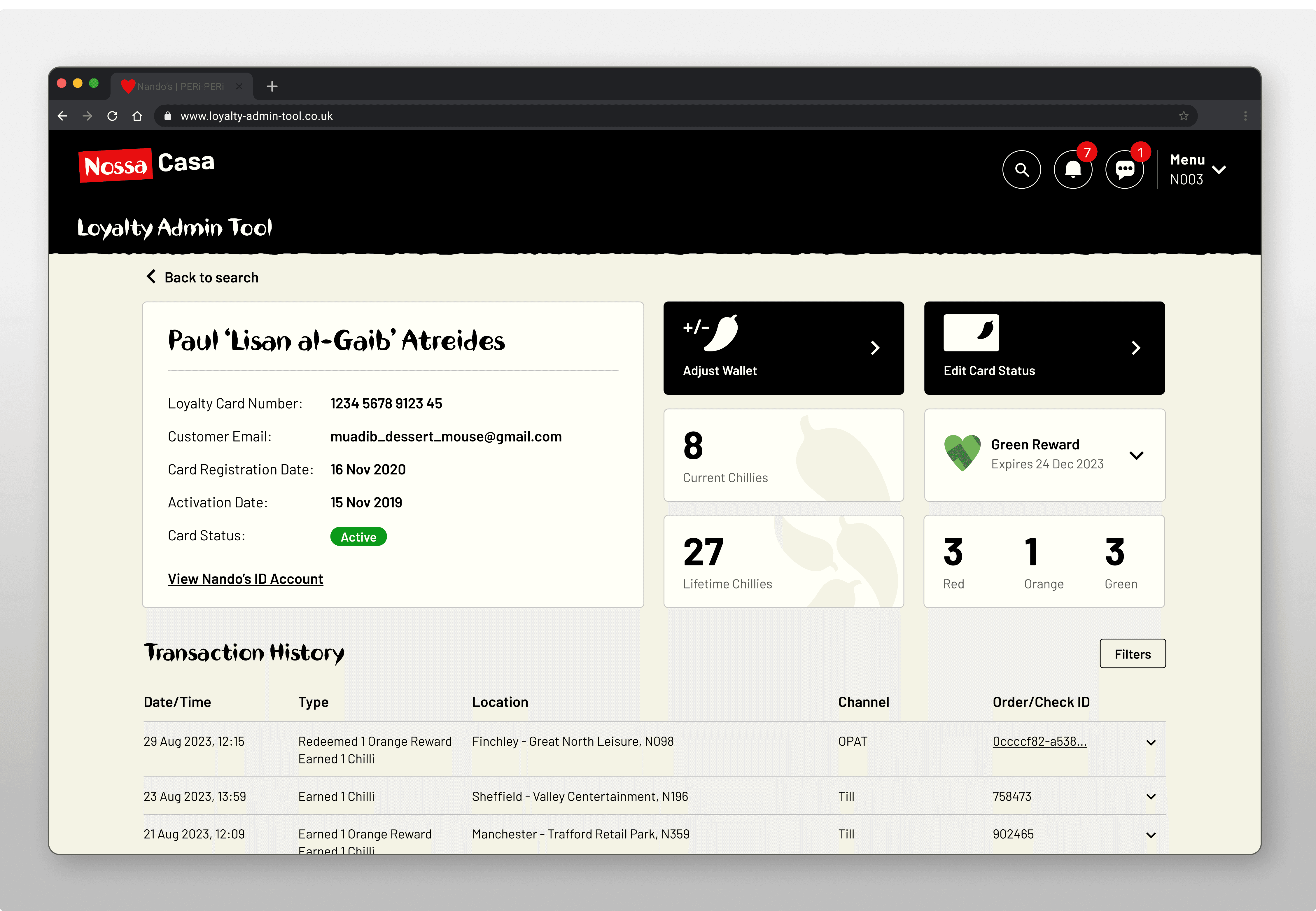
I led the end-to-end design of this new internal tool, shaping how advisors interact directly with Nando’s Rewards members.
Project Overview
Team: 01 PM, 02 Engineers, 01 Designer
Timeline: Nov 2023 - Apr 2024
V2/V3 (2025 - Present)
Role: Lead Product Designer
Platform: Web
Status: Live
+86%
Improved ease of use
Measured across 14 users in final usability testing against previous tool
-27%
Reduced time on task
Contextual inquiring timing across core admin tasks
+52%
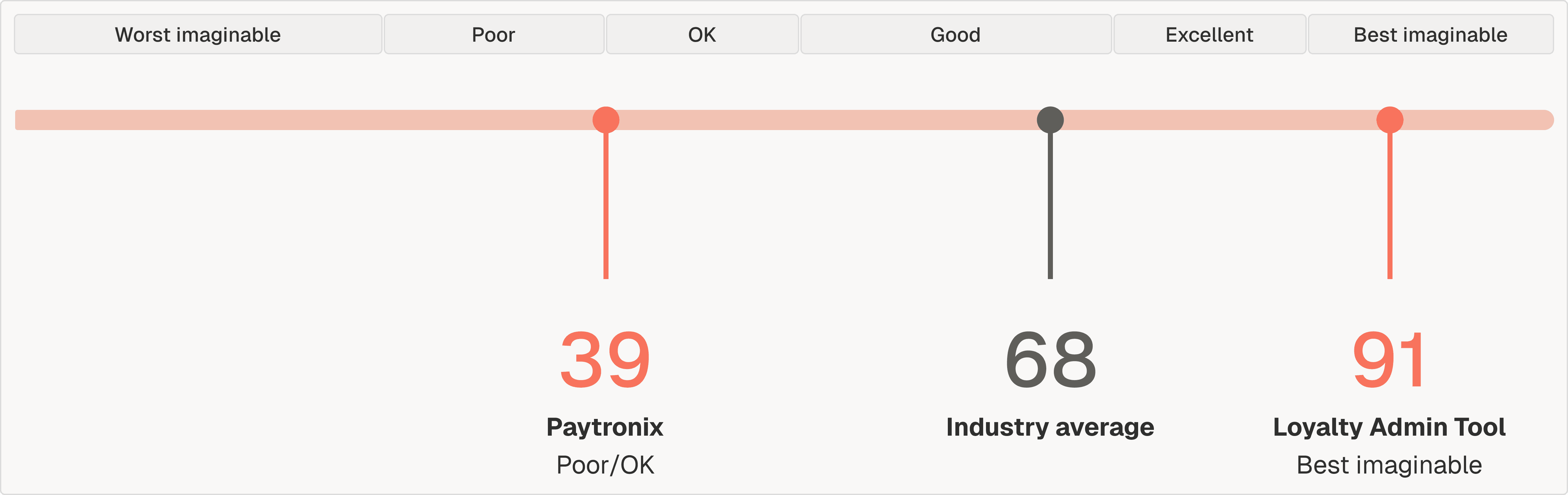
Improved SUS score from 39 to 91
Two independent SUS surveys - one of the former tool (Paytronix), one of Loyalty Admin Tool (LAT) - with 14 users each
Problem
Design the replacement for a loyalty tool so broken, it had its own internal nickname: Pain-tronix.
Business context
In 2025, Nando's completed a two-year migration away from their loyalty provider, Paytronix, to a new platform - saving the business a handsome amount of change per year.
A new internal tool was needed before the migration could go live. This tool did not exist yet.
The ask was to initially replicate what Paytronix to do, but I saw the opportunity to vastly improve the daily experiences of the users.
What does Paytronix do?
Conducts all loyalty admin for over 10 million Nando's Rewards customers on their Nando's Card. Here are a few of the main features:
01
Adjusting their wallet
Adding and/or removing Chillies and Rewards (Nando's loyalty currencies).
02
Customer lookup
Find the transaction history for a specific customer.
03
Edit card statuses
The ability to block or remove someone's Nando's Card.
04
Cause a lot of headaches
Terrible navigation, information overload, awful usability (to name a few).
Redesigning a legacy tool's customer search
[ swipe to reveal ]
*
"
User interview, Customer Support Team
"We've been asking for a replacement for over 5 years."
*
"
User interview, Safety & QA Team
"Honestly I only know how to use it because someone's shown me. I couldn't figure a lot of it out."
The adjusting wallet flow in Paytronix
The most common used feature is adding/removing Chillies and Rewards for Nando's Rewards customers. Paytronix labeled the feature "Adjusting a Wallet".
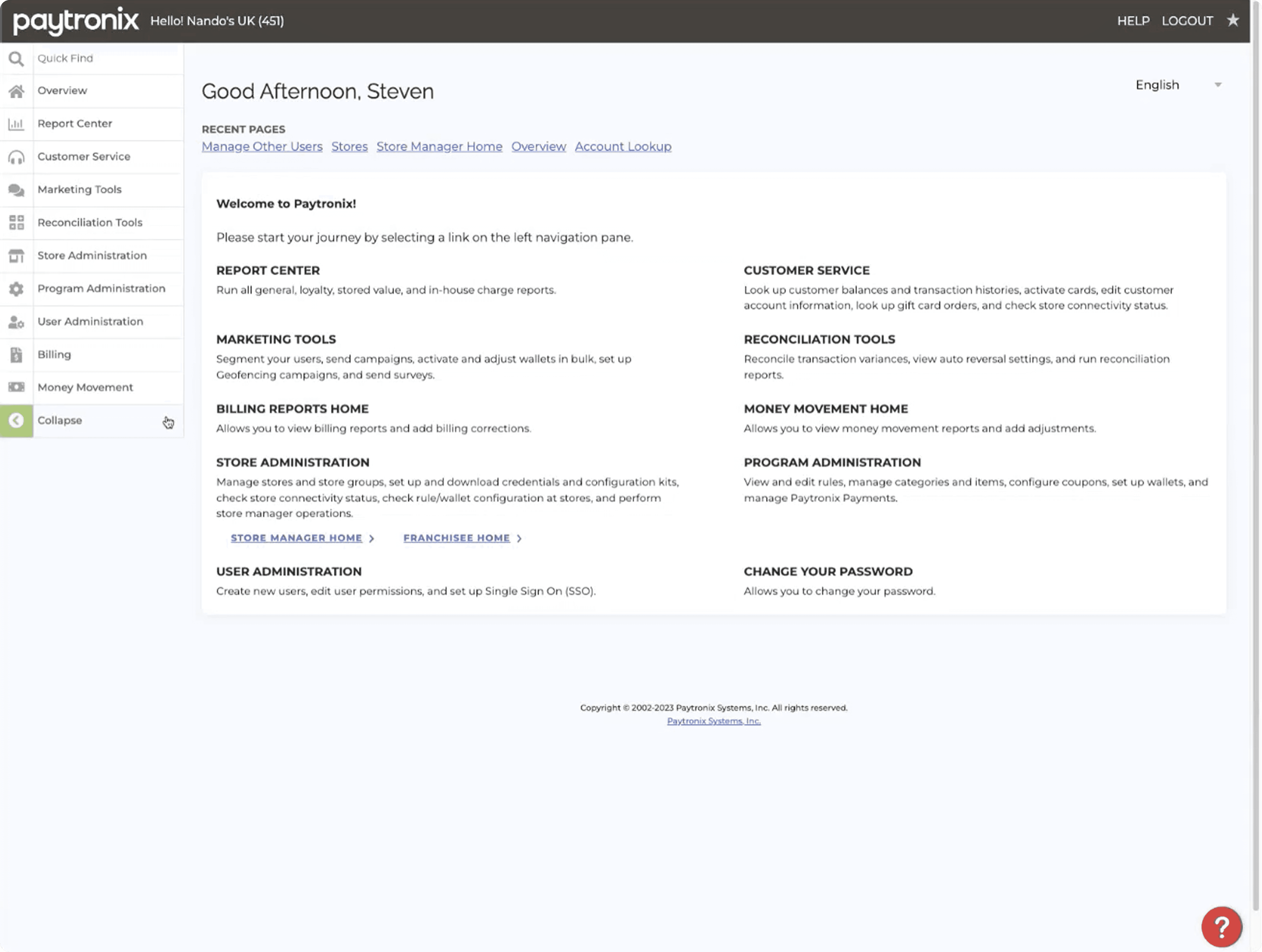
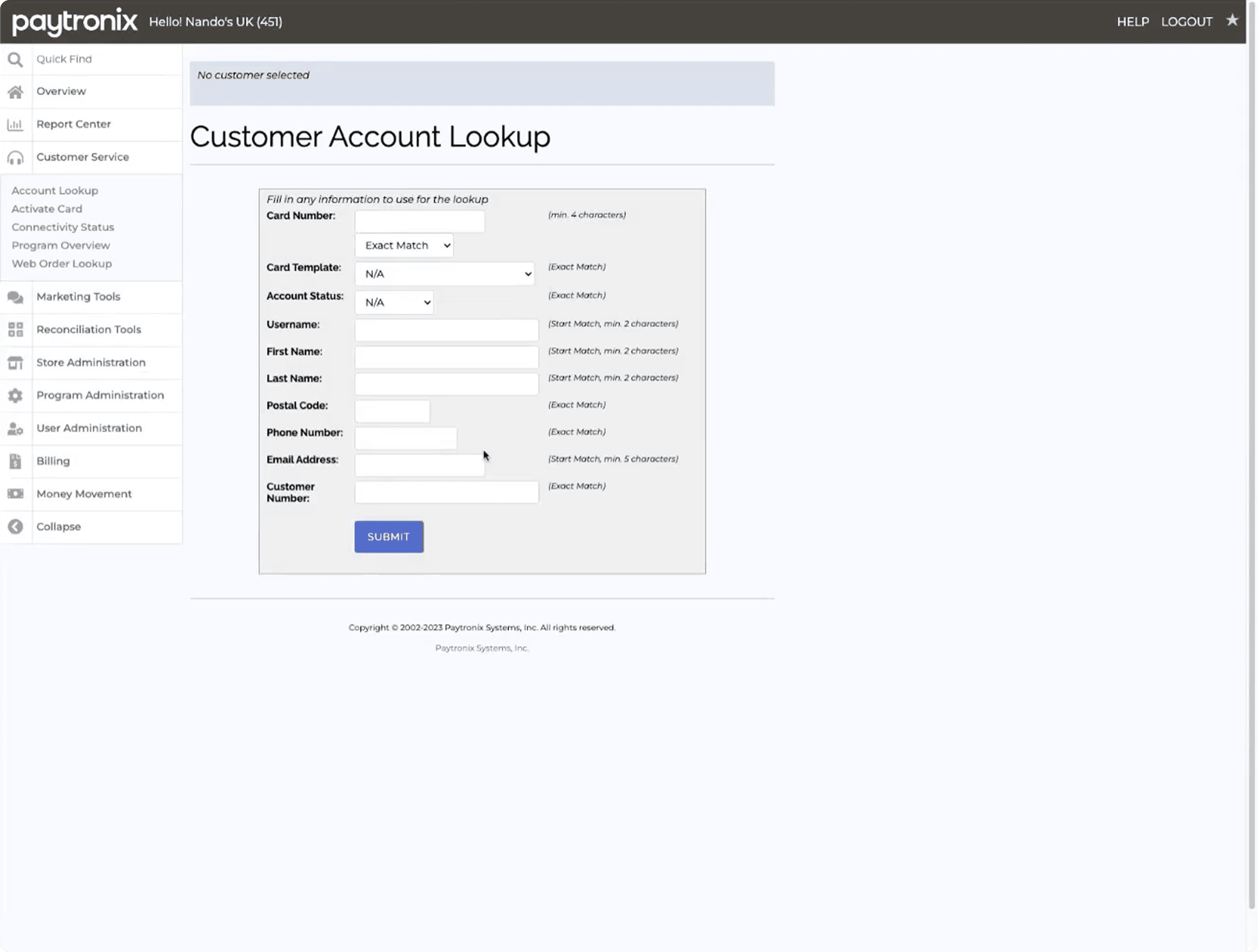
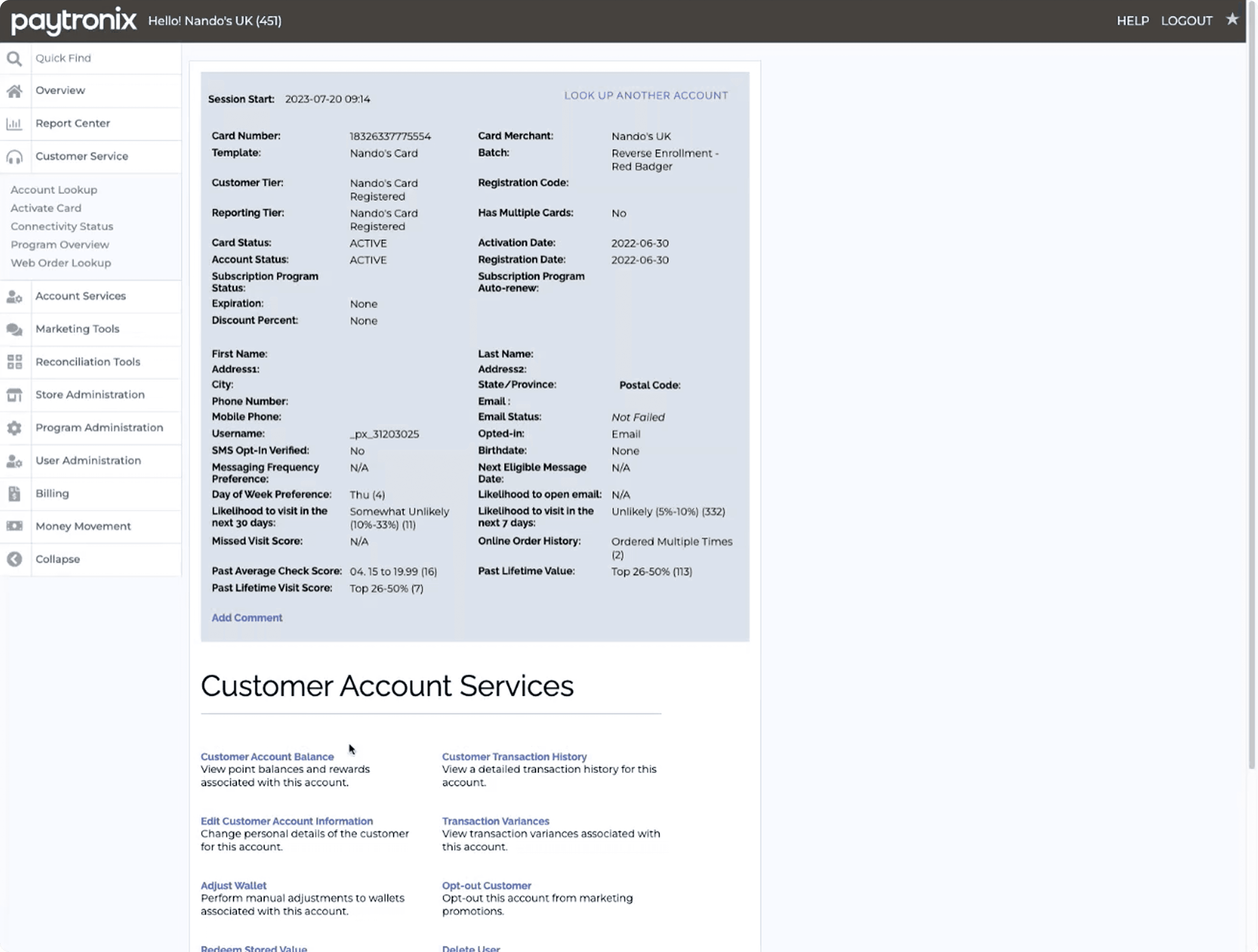
Feast your eyes on this nine step process.
1. Homepage
2. Search
3. Profile
4. Select type
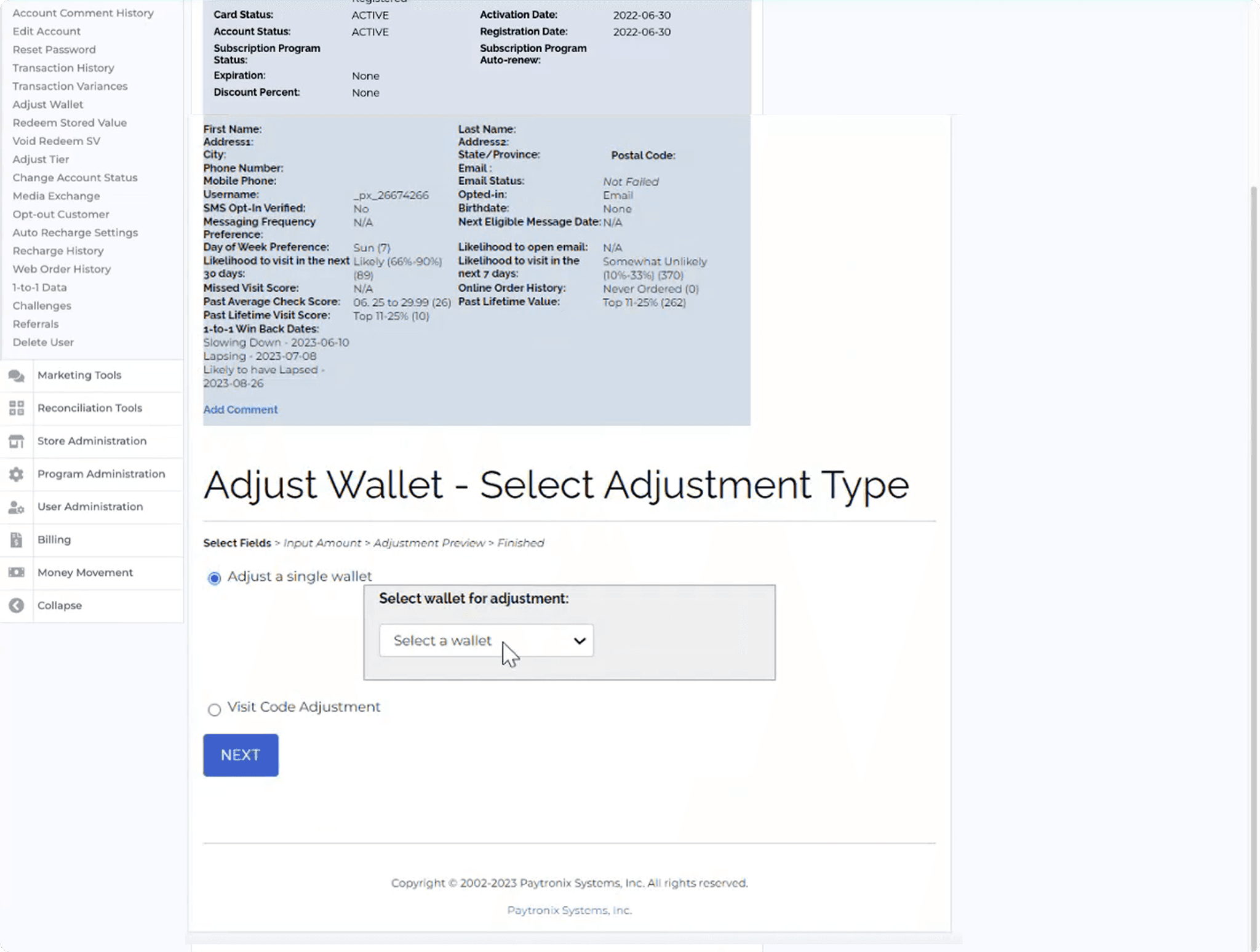
5. Select type
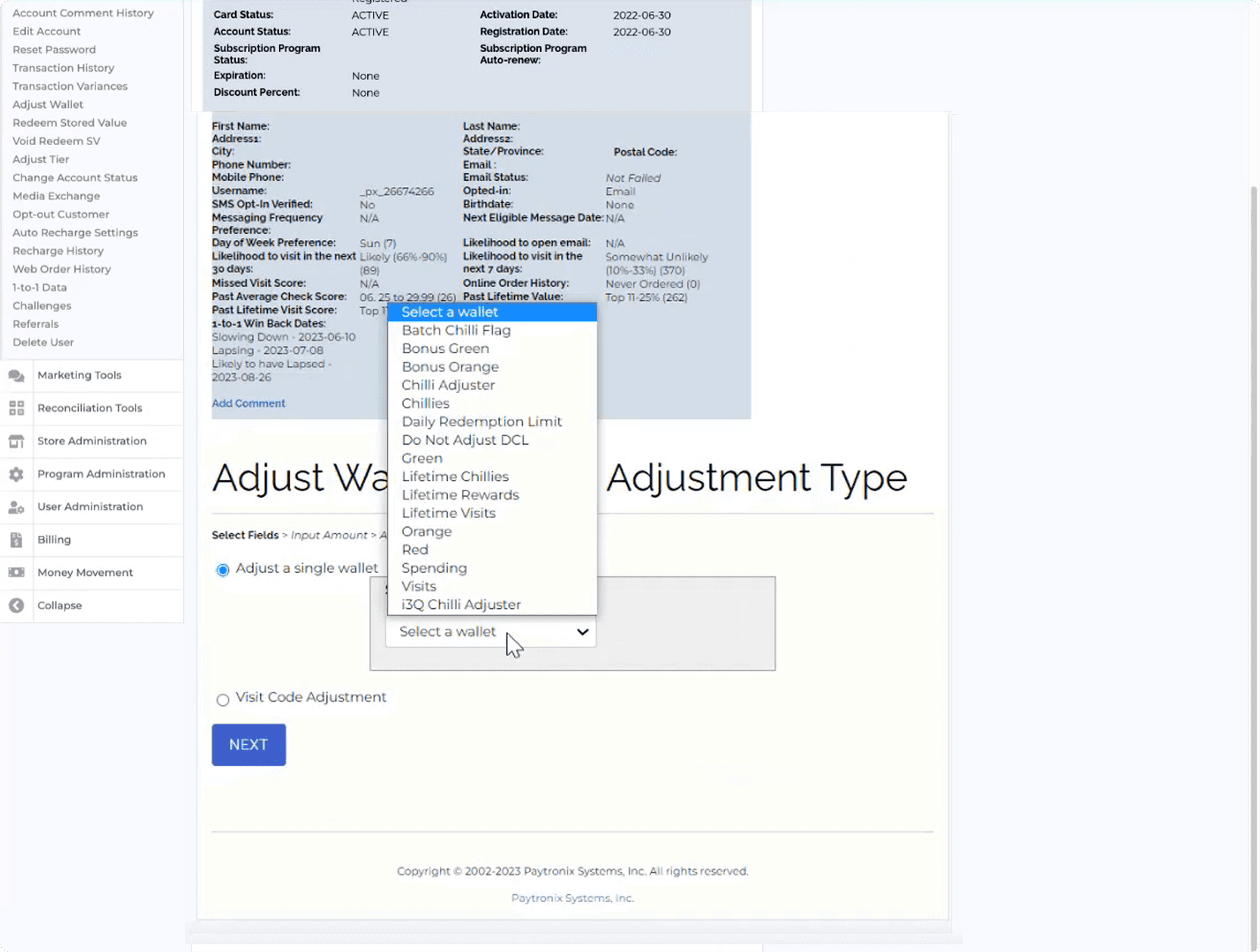
6. Adjust wallet
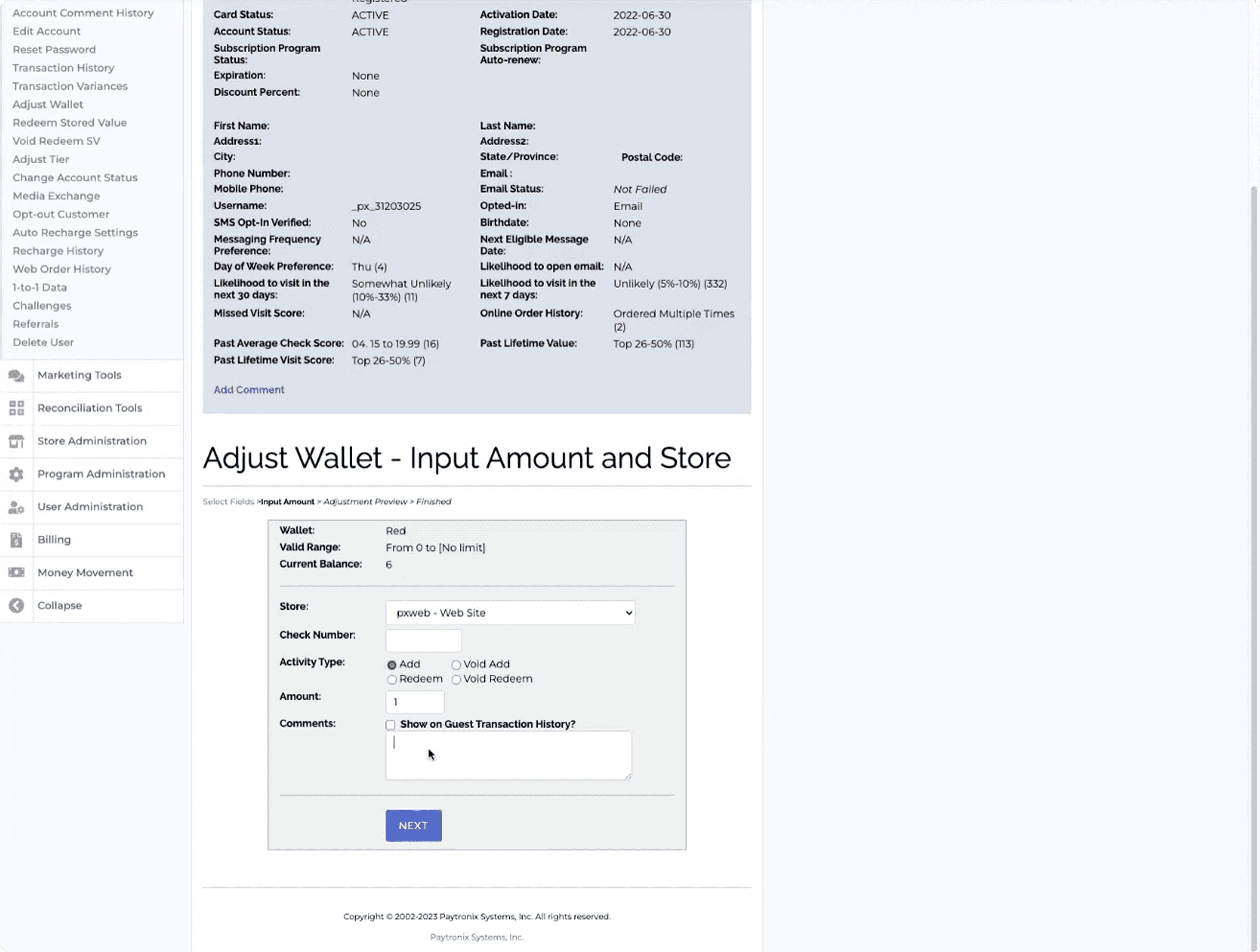
7. Adjust wallets (?)
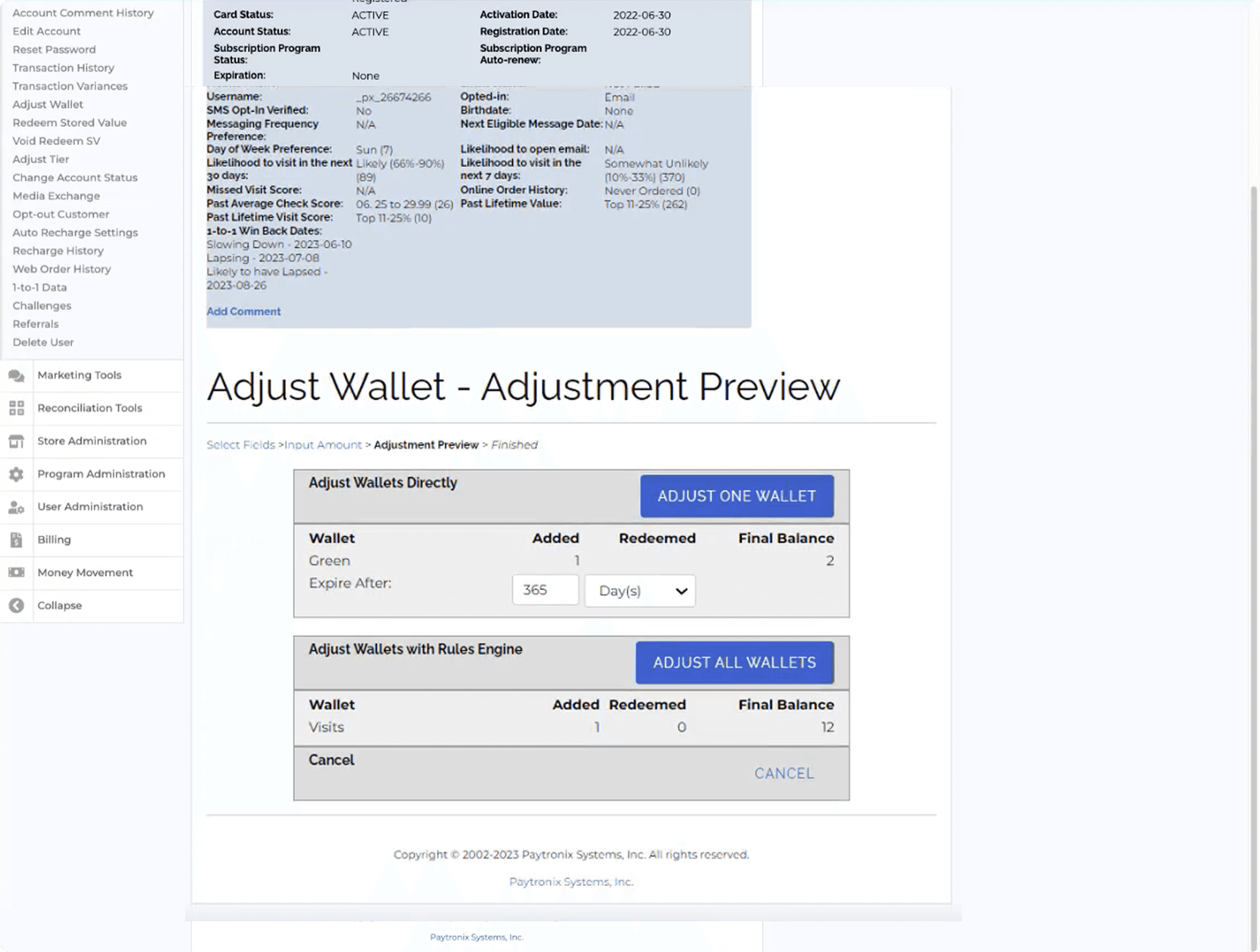
8. Confirm
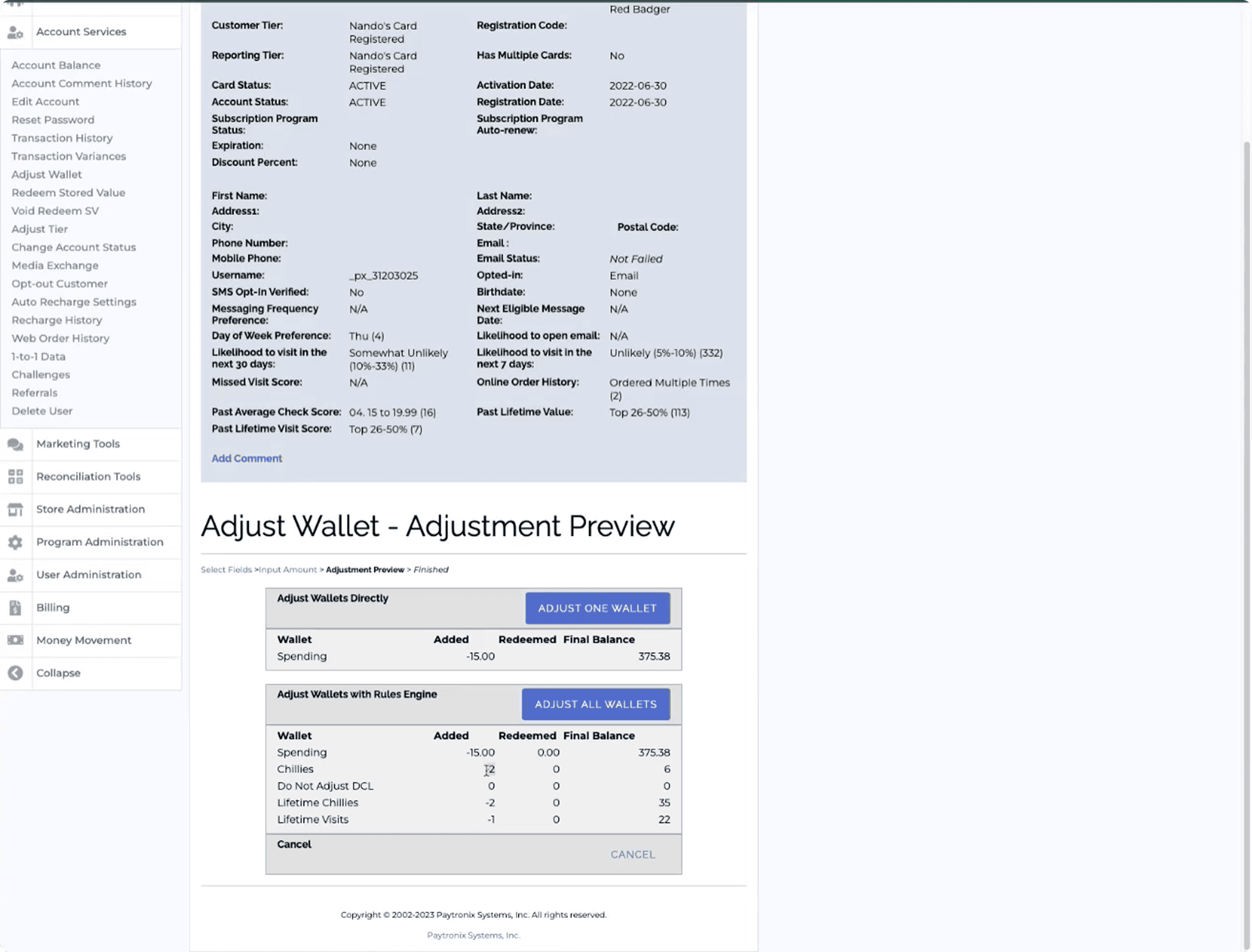
9. Result
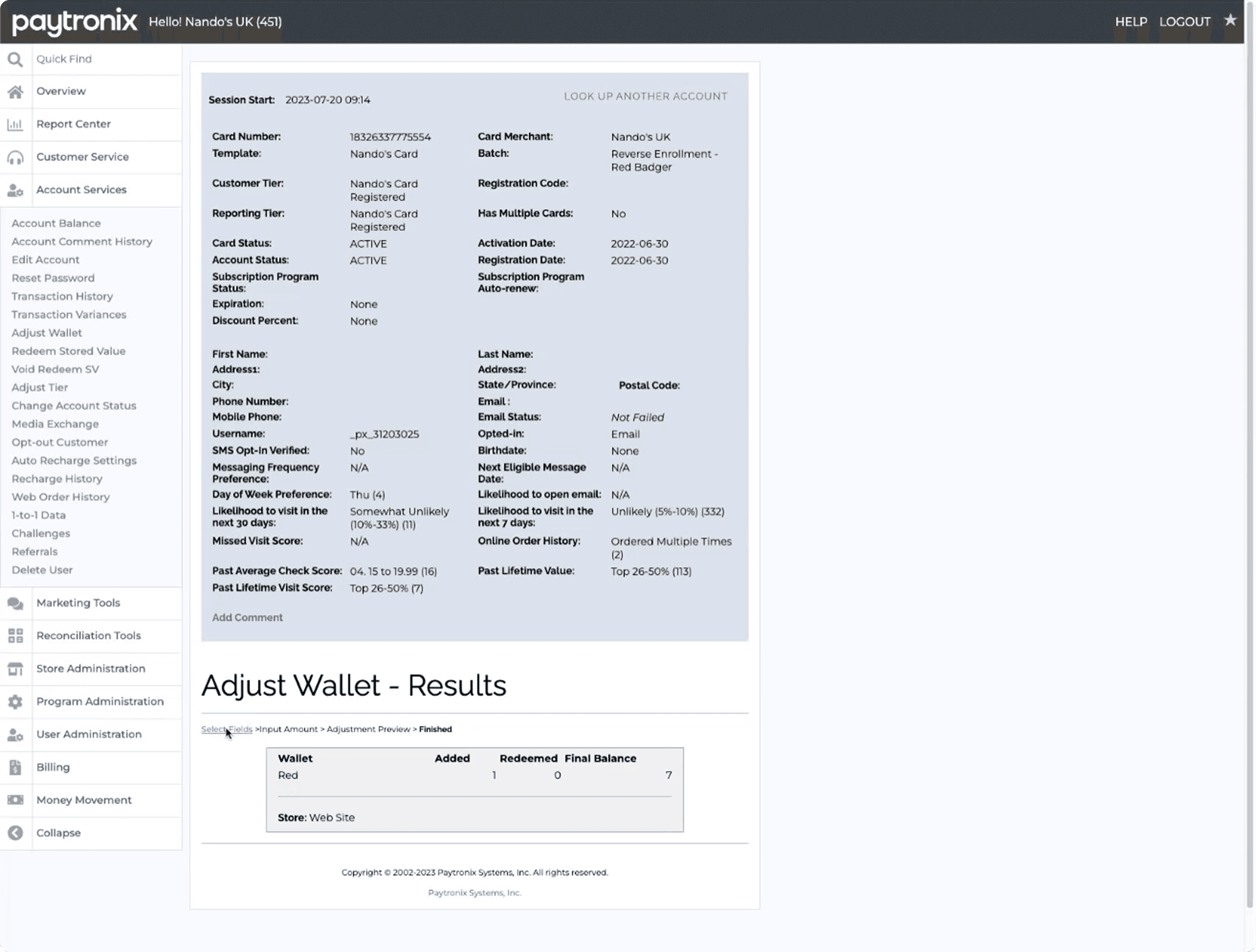
Let's have a closer look
This is not the full heuristic analysis by any means, just a quick indication as to what the users were dealing with daily.
1. Paytronix Landing Page - Home/navigation
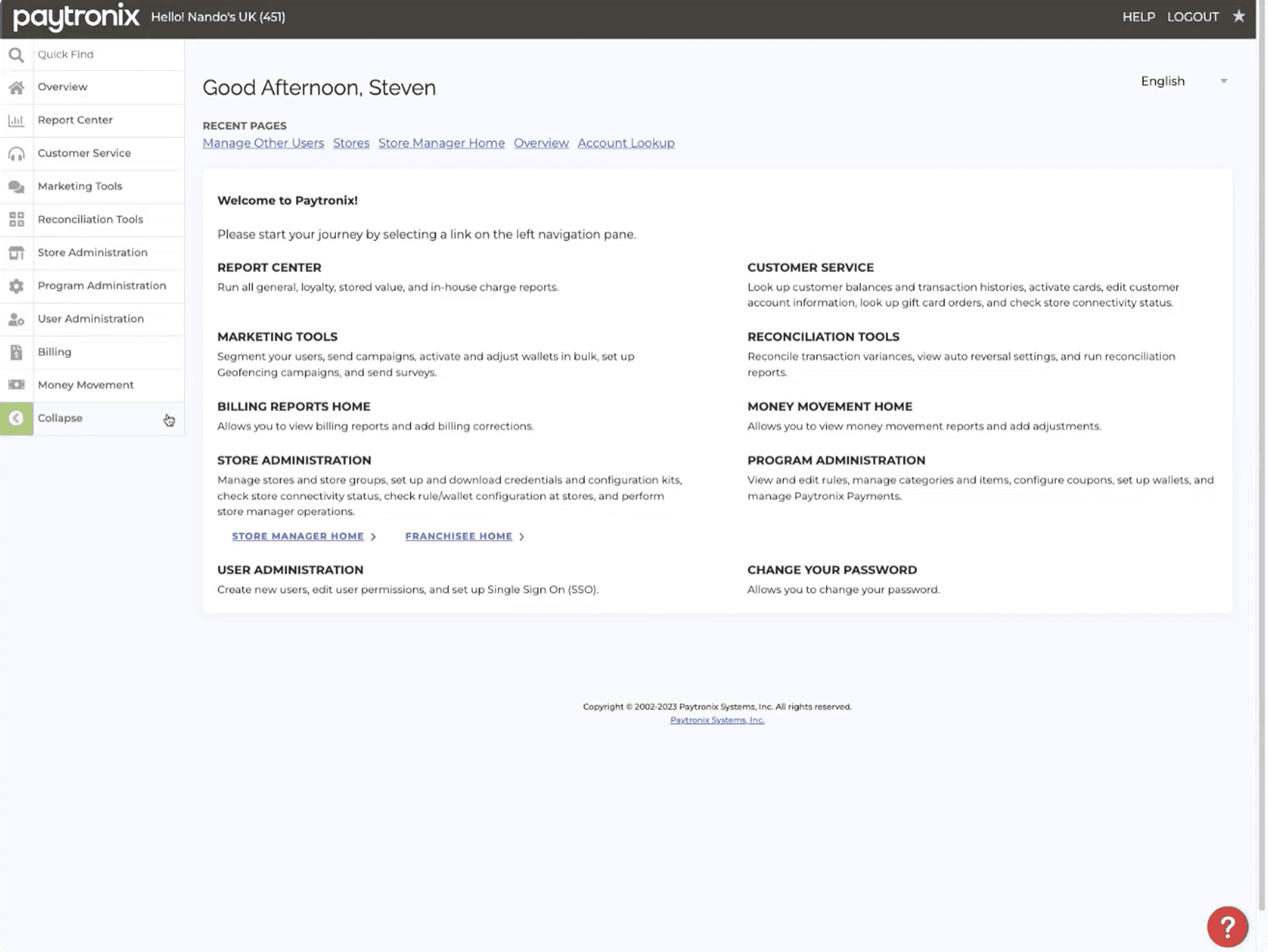
No visual hierarchy - where am I to go?
The landing page has to inform users what sections do
Users being confused by the naming jargon used
8. Paytronix Adjusting Wallet Confirmation
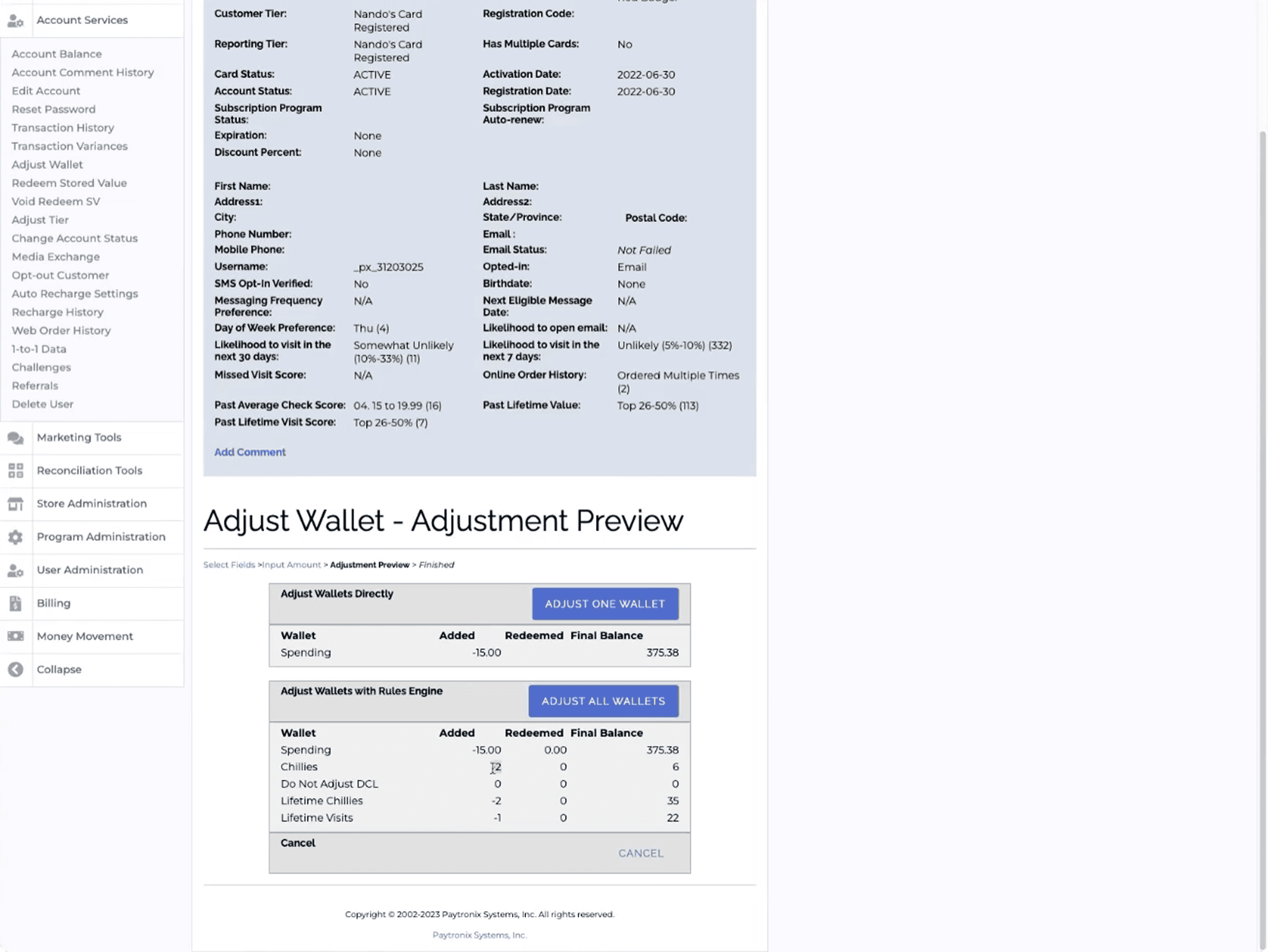
Too much information displayed at once
The Dreaded Blue Box challenging users to find information
"ADJUST ALL WALLETS" can lead to 10 million mistakes with one click
Insight
200 emails, 14 interviews, one very long Excel spreadsheet.
Research approach
Before talking to a single user, I needed to understand who the users actually were - so I went looking for them.
200+ emails sent
To all emails linked to a Paytronix account.
67 active users
Responded to the emails and briefly mentioned why they use Paytronix.
7 separate teams
Teams throughout the business use Paytronix in different ways.
14 interviews & card sorting
With 2 members from each team, figuring out how and why they use Paytronix.
What we found
The research surfaced three things the business hadn't fully anticipated:
*
01
Insight
The tool wasn't just slow, it broke users trust.
What did the users say about Paytronix?
*
02
Insight
Highest priority tasks are buried in unusable architecture.
Results from the card sorting exercise showed us this
*
03
Insight
Information overload through the UI led to users being unable to navigate Paytronix.
If you've forgotten what Paytronix looks like, here's another taster
Users didn't need more information, they needed less of it and in the right order.
The initial ask was to completely replicate everything Paytronix does.
What the research told us is not everyone uses every feature in Paytronix, and we can streamline the Loyalty Admin Tool even further to really give the users a great experience.
Validation
The research told us what was broken. Now the users can truly help design a tool that suits their needs.
SUS benchmarking
01 I ran a System Usability Scale survey on Paytronix with 18 users
02 Paytronix scored a 39 - placing it firmly on the cusp of Poor/OK
03 The industry average is 68, anything below 50 is a failing grade
04 We had our baseline.
Usability testing
01 2 rounds of early concept feedback sessions
02 3 rounds of usability sessions, focusing on having the users shape features
03 1 round of final acceptance testing
The acceptance testing result that matters most: 85% first time task success rate.
No onboarding. No cheat sheet. No colleague showing them how it worked.
Feedback sessions - what broke and what we fixed
Round 1 - Landing Page
As the designs began, the scope narrowed and narrowed due to user feedback, tech constraints, and scaling back the tool.
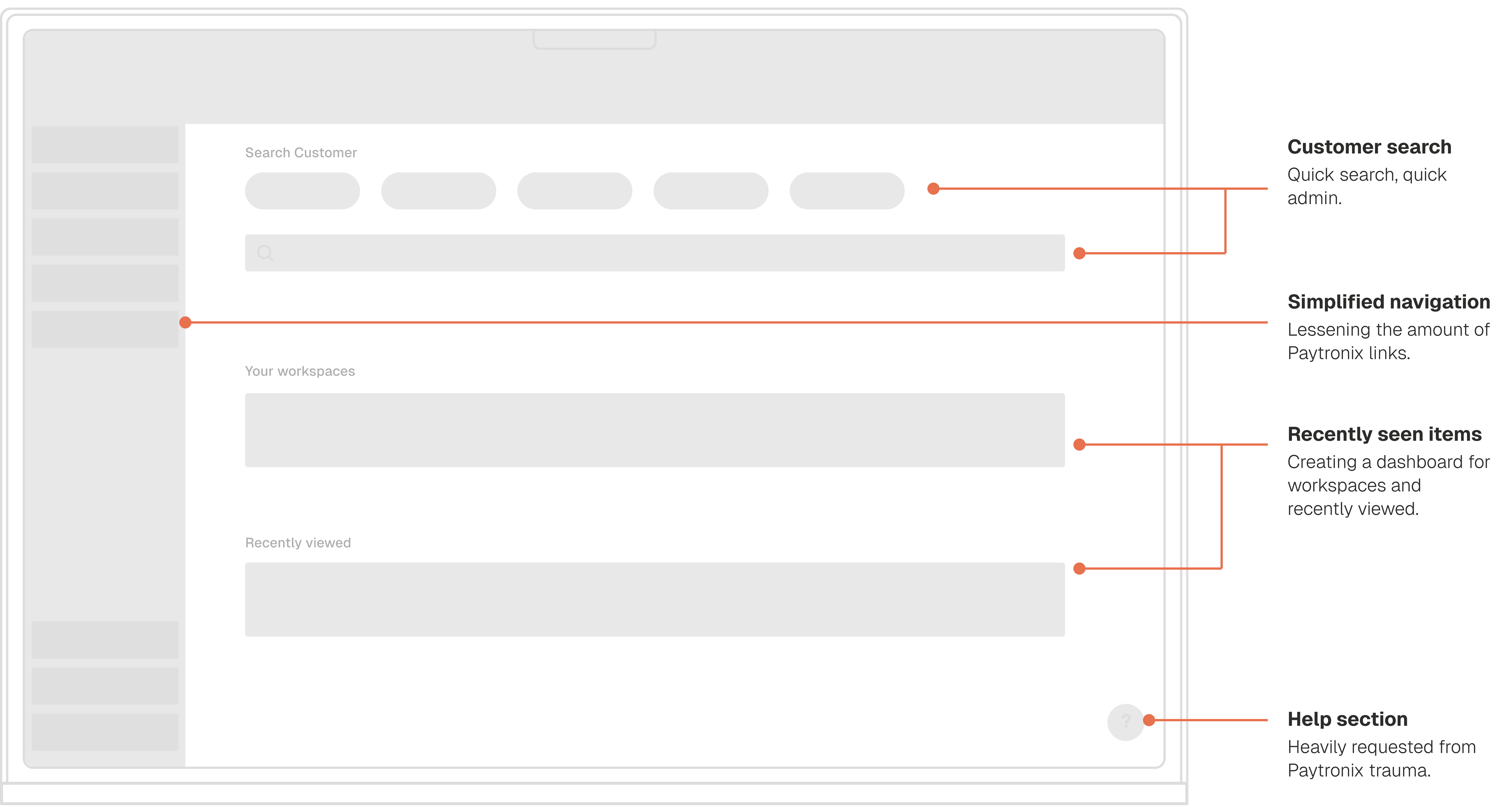
Change: Primary actions elevated and given more visual weight. Secondary information pushed further down the hierarchy.
[ Early concept ]
*
*
Learning 01
There is still too much information displayed at once
I thought showing previous tasks here as a dashboard would make their lives easier, it did not.
*
*
Learning 01
There is still too much information displayed at once
*
*
Learning 02
No admin task can be conducted until you search a customer
I wasn't aware of this before the feedback session. This made the workspaces and recently viewed redundant.
*
*
Learning 01
There is still too much information displayed at once
[ After testing ]
*
*
Learning 03
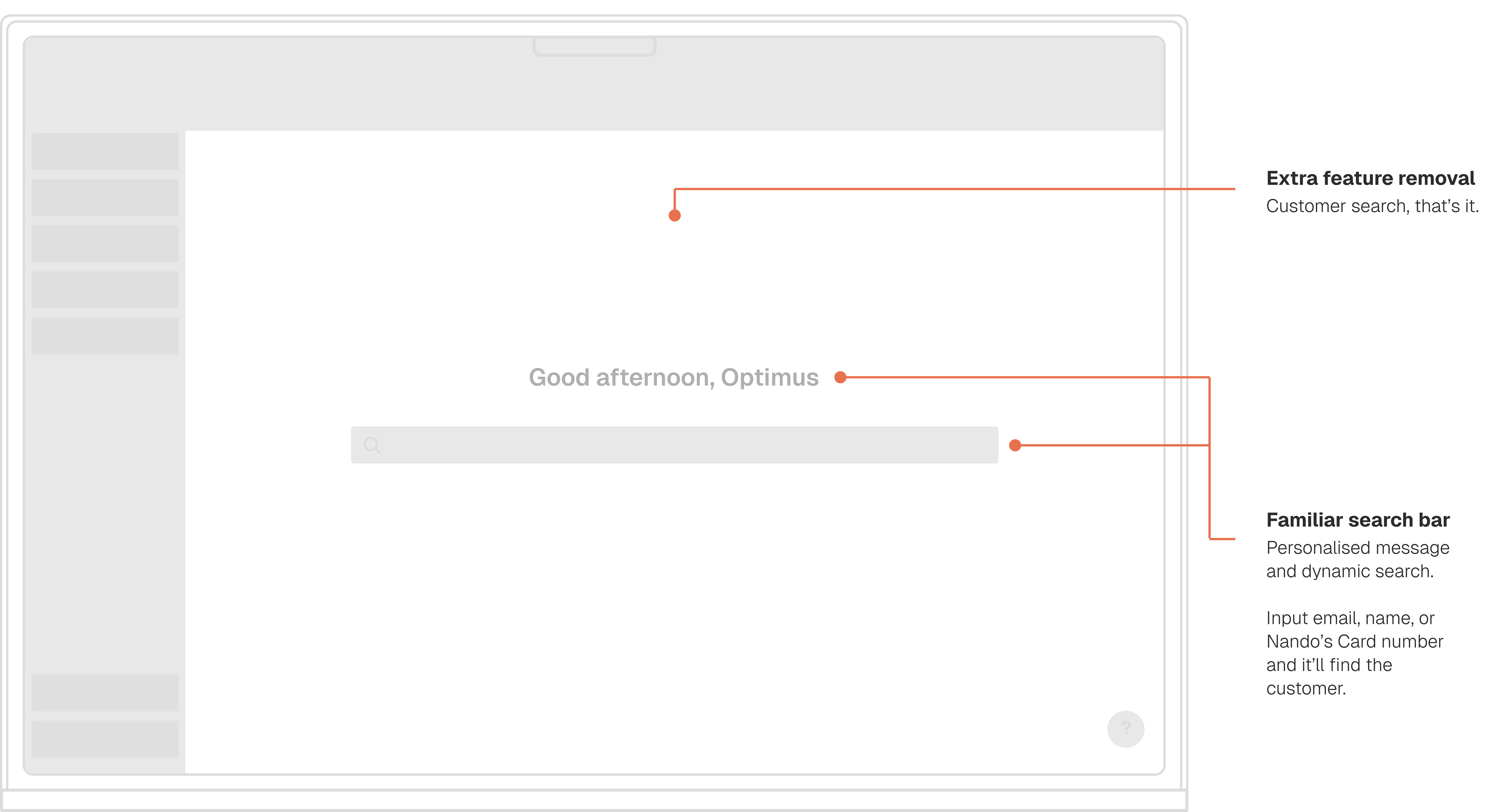
Landing page as main customer search for every entry point
Users can't conduct any admin tasks until they have searched a customer - so I made this the main function on this screen.
*
*
Learning 01
There is still too much information displayed at once
*
*
Learning 04
Users knew exactly what do do, reducing information overload
No links, no explainers. Users inherently knew "I need to search for a customer before I do anything".
*
*
Learning 01
There is still too much information displayed at once
User testing - what broke and what we fixed
Round 2 - Customer Profile
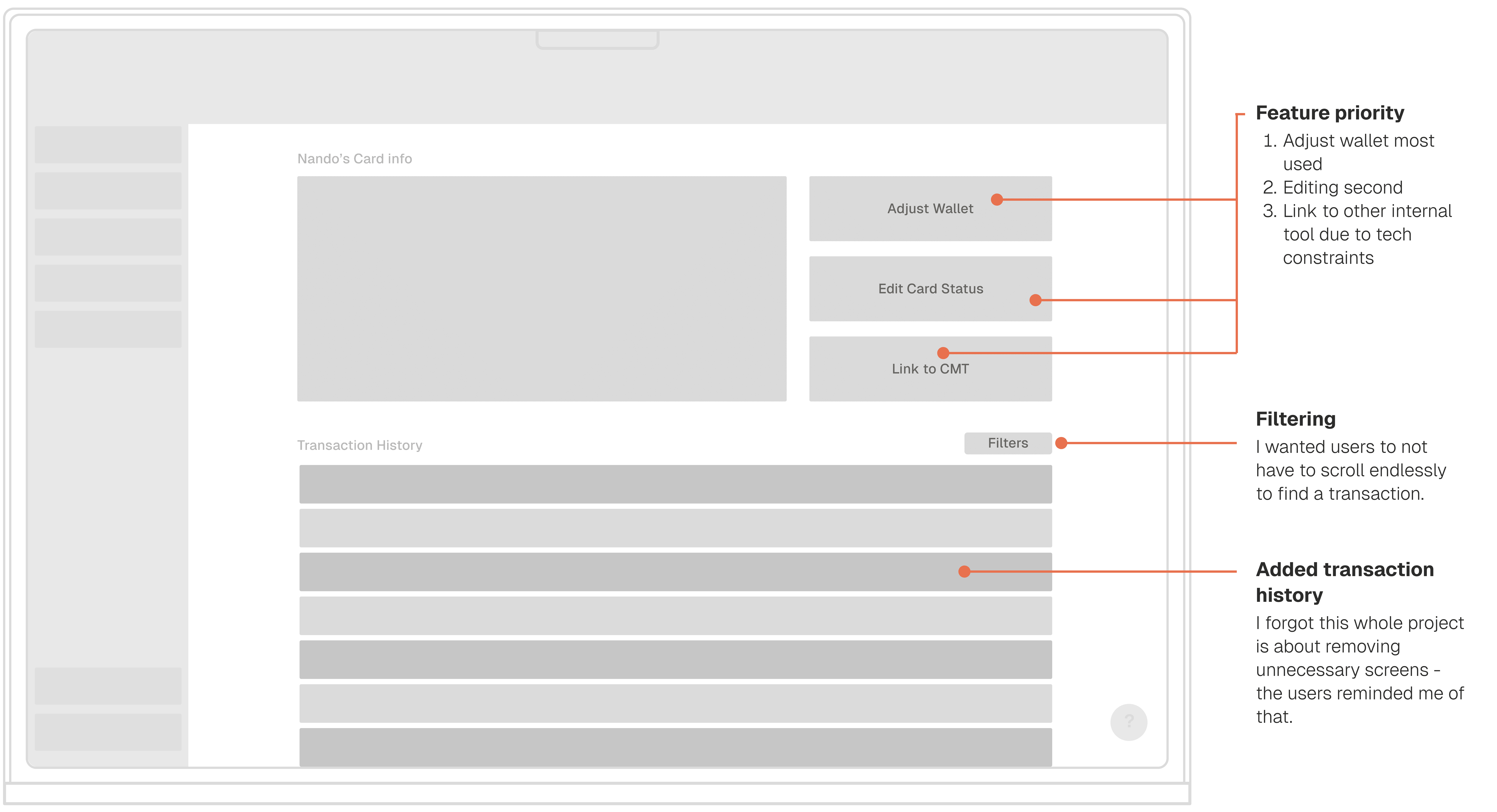
The modal flow for wallet adjustments was working, but users wanted to see the customer's current balance before confirming an adjustment - not just after. Two users independently asked the same question mid-task: "How do I know what they had before?"
That question became a design requirement.
[ Early concept ]
*
*
Learning 05
Split-level layout led to confusion
Not what I wanted at all. Second tool integration will have to look differently.
*
*
Learning 01
There is still too much information displayed at once
*
*
Learning 06
Users liked main features being highlighted, but it needed improvements
These made it much easier to start a task, but still enabled more clicks.
*
*
Learning 01
There is still too much information displayed at once
[ After testing ]
*
*
Learning 07
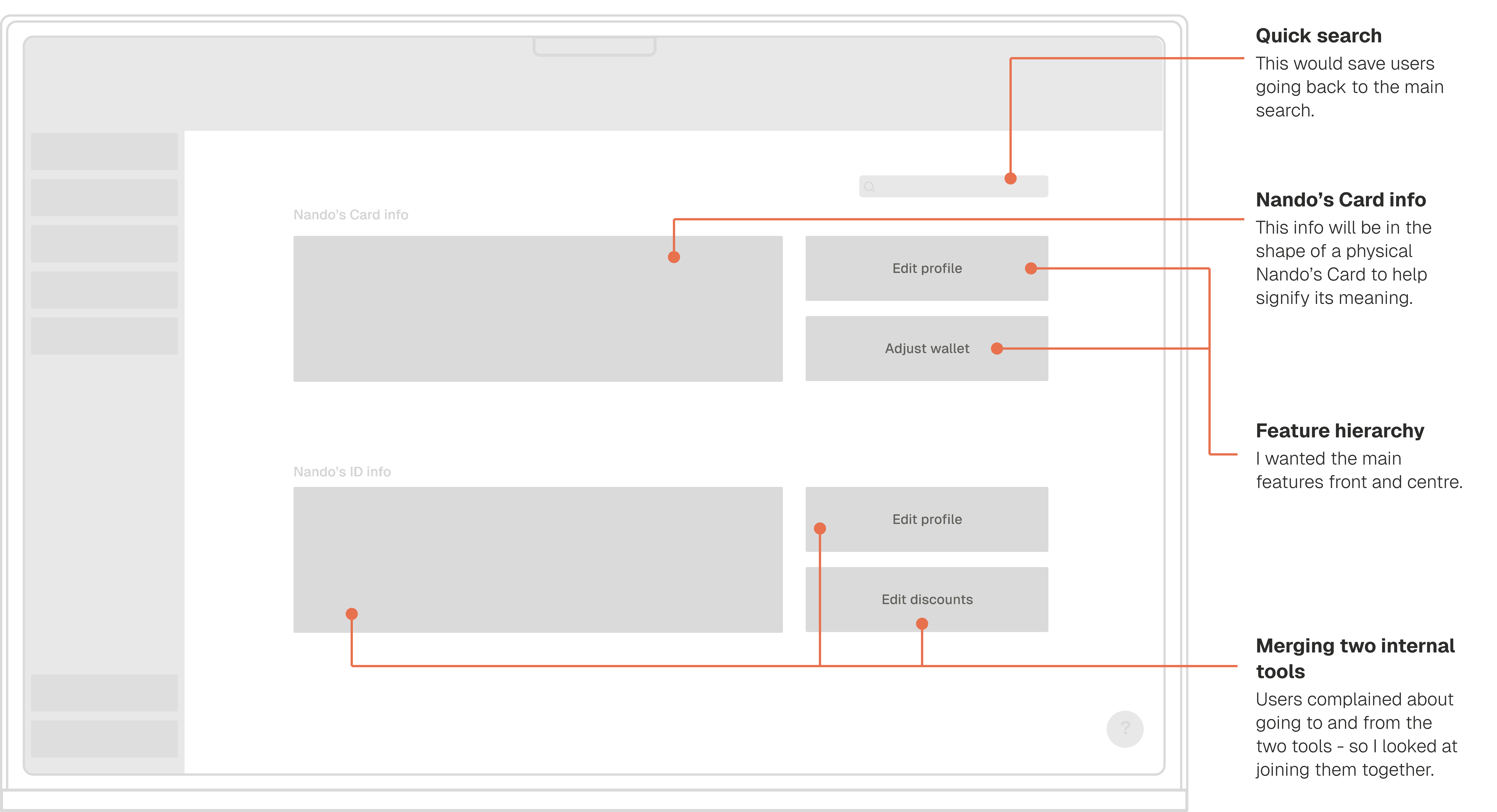
Users wanted less clicks, and adding transaction history
All card information should be shown immediately upon entry to the profile.
*
*
Learning 01
There is still too much information displayed at once
*
*
Learning 08
Visual hierarchy was key for learnability
It only took seconds for users to ingest the new UI and inherently know where to go.
*
*
Learning 01
There is still too much information displayed at once
User testing - what broke and what we fixed
Round 3 — Acceptance testing (final) Six users who had never seen the tool before. No onboarding. No guidance beyond the brief they'd receive in their actual job.
83% task success rate.
The two tasks that caused hesitation were both edge cases — low frequency, high complexity. Noted for V2. Everything else landed cleanly.
[ Early concept ]
*
*
Learning 09
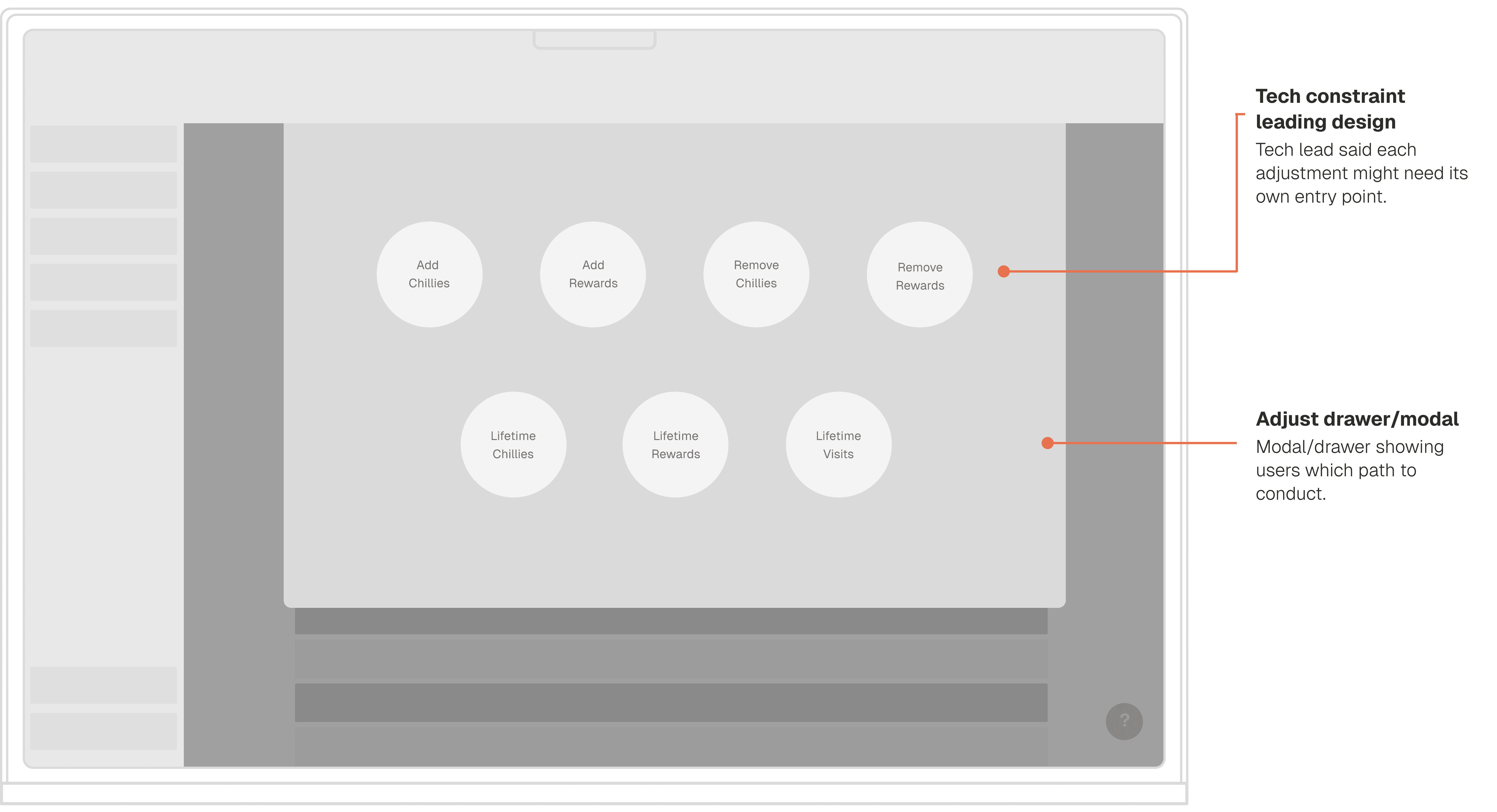
Wrong pattern, wrong component, increased clicks
Not my finest work, but because it tested awful we resolved the tech constraint forcing us to do this.
*
*
Learning 01
There is still too much information displayed at once
*
*
Learning 10
Changing someone's mental model doesn't have to be scary
I was trying to design patterns similar to Paytronix to aid in comprehension, but taking two steps back in doing so.
*
*
Learning 01
There is still too much information displayed at once
[ After testing ]
*
*
Learning 11
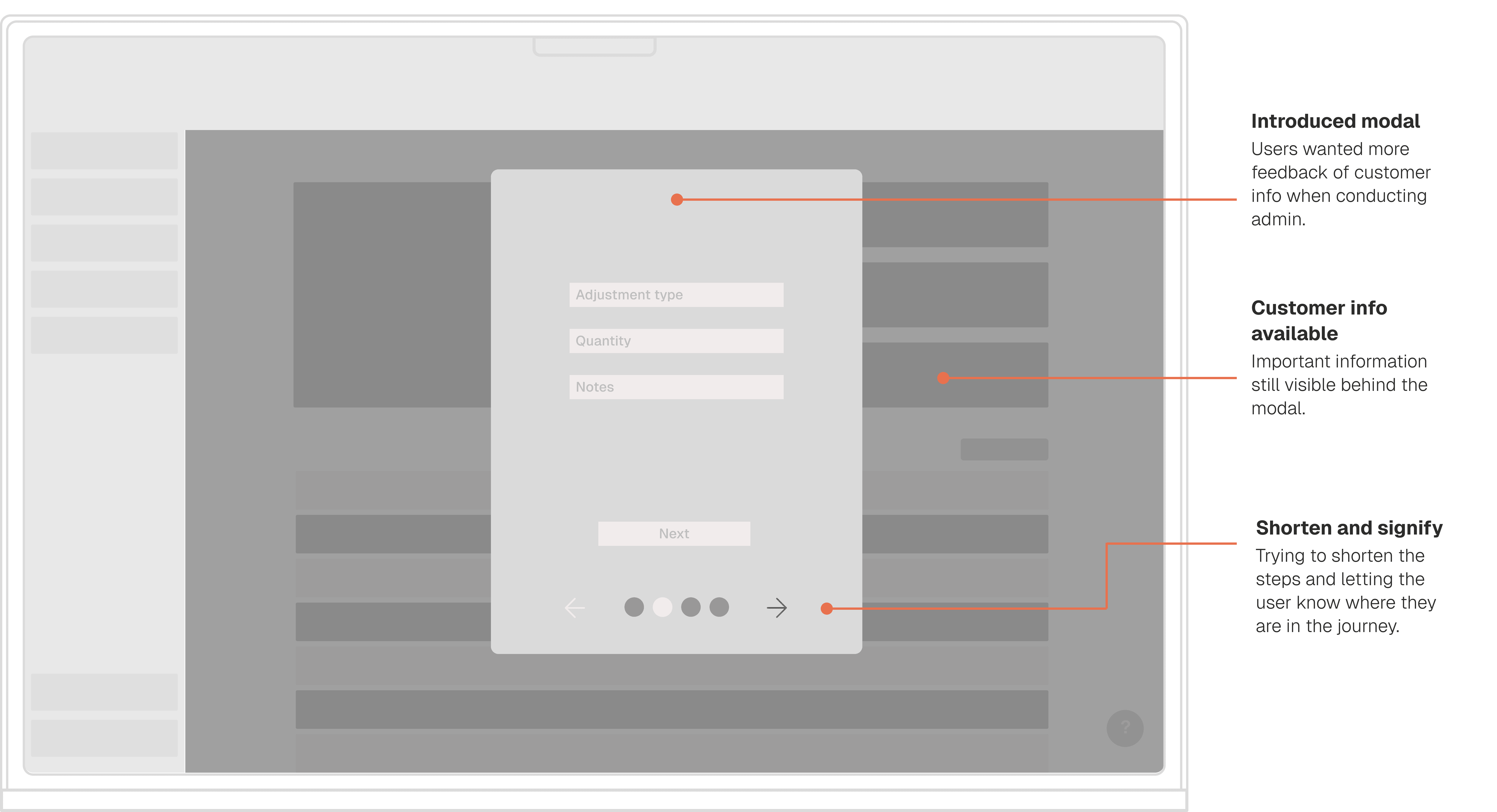
Modal implementation validated customer info
Users could now see customer info behind the modal - something they couldn't in Paytronix.
*
*
Learning 01
There is still too much information displayed at once
*
*
Learning 12
The flow was still far too long
My engineers and I really focused on narrowing down this flow.
*
*
Learning 01
There is still too much information displayed at once
Solution
Four decisions, each one designed by and for the users.
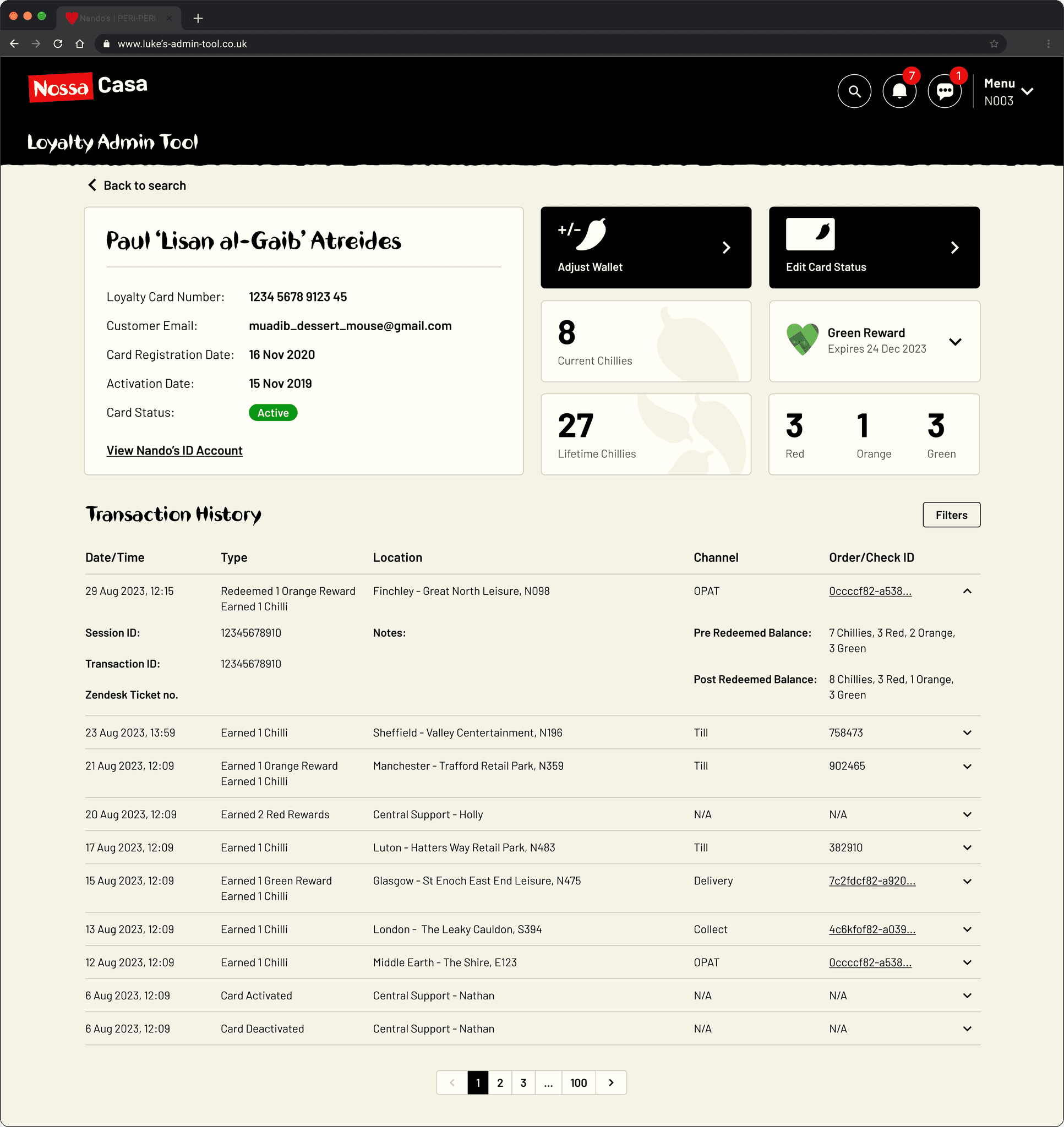
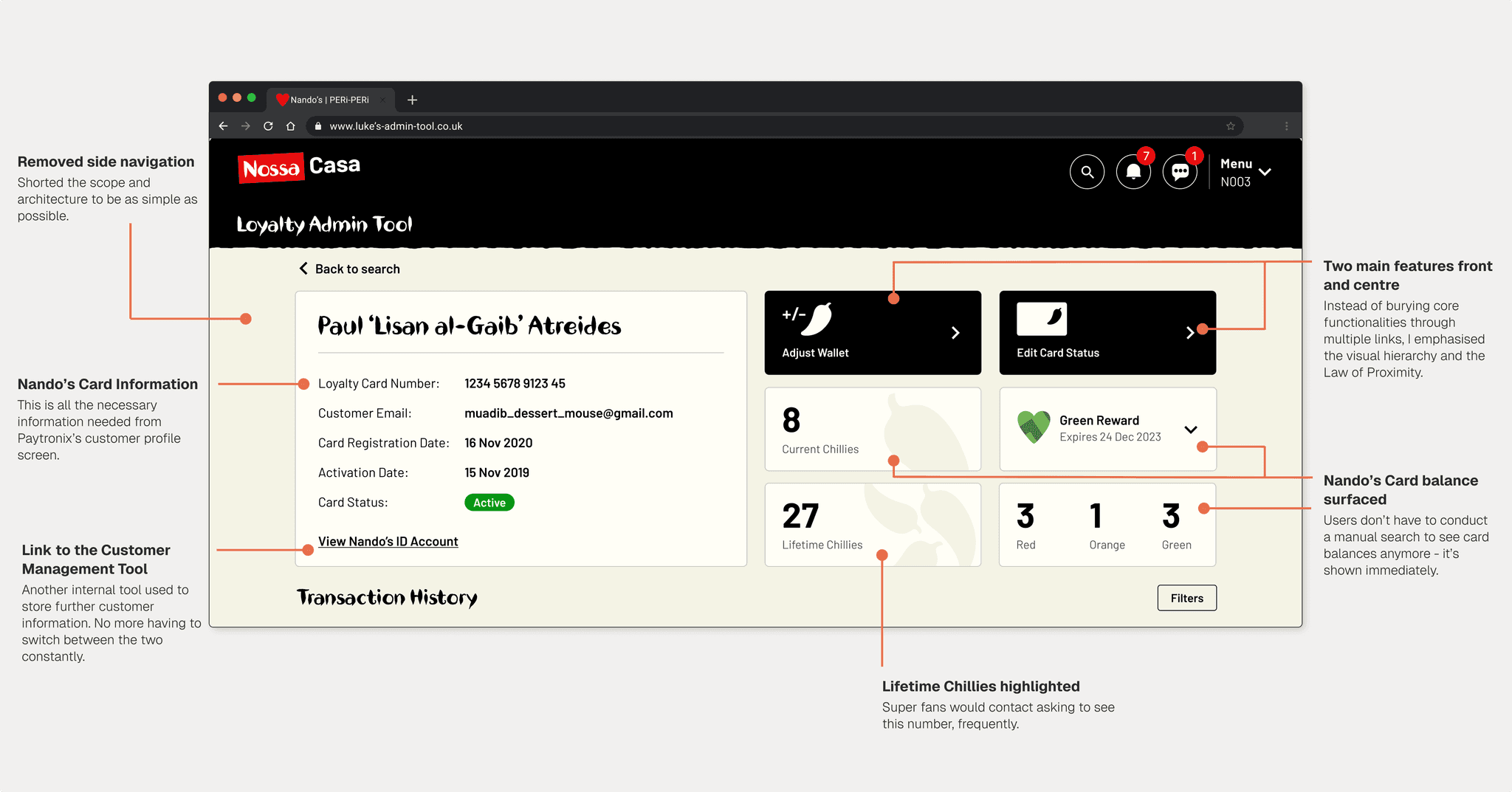
Critical information only
*
*
Decision
Clear visual hierarchy, features and info they need
*
*
Learning 01
There is still too much information displayed at once
*
*
Reasoning
The Dreaded Blue Box displayed everything, prioritised nothing
*
*
Learning 01
There is still too much information displayed at once
[ Design breakdown ]
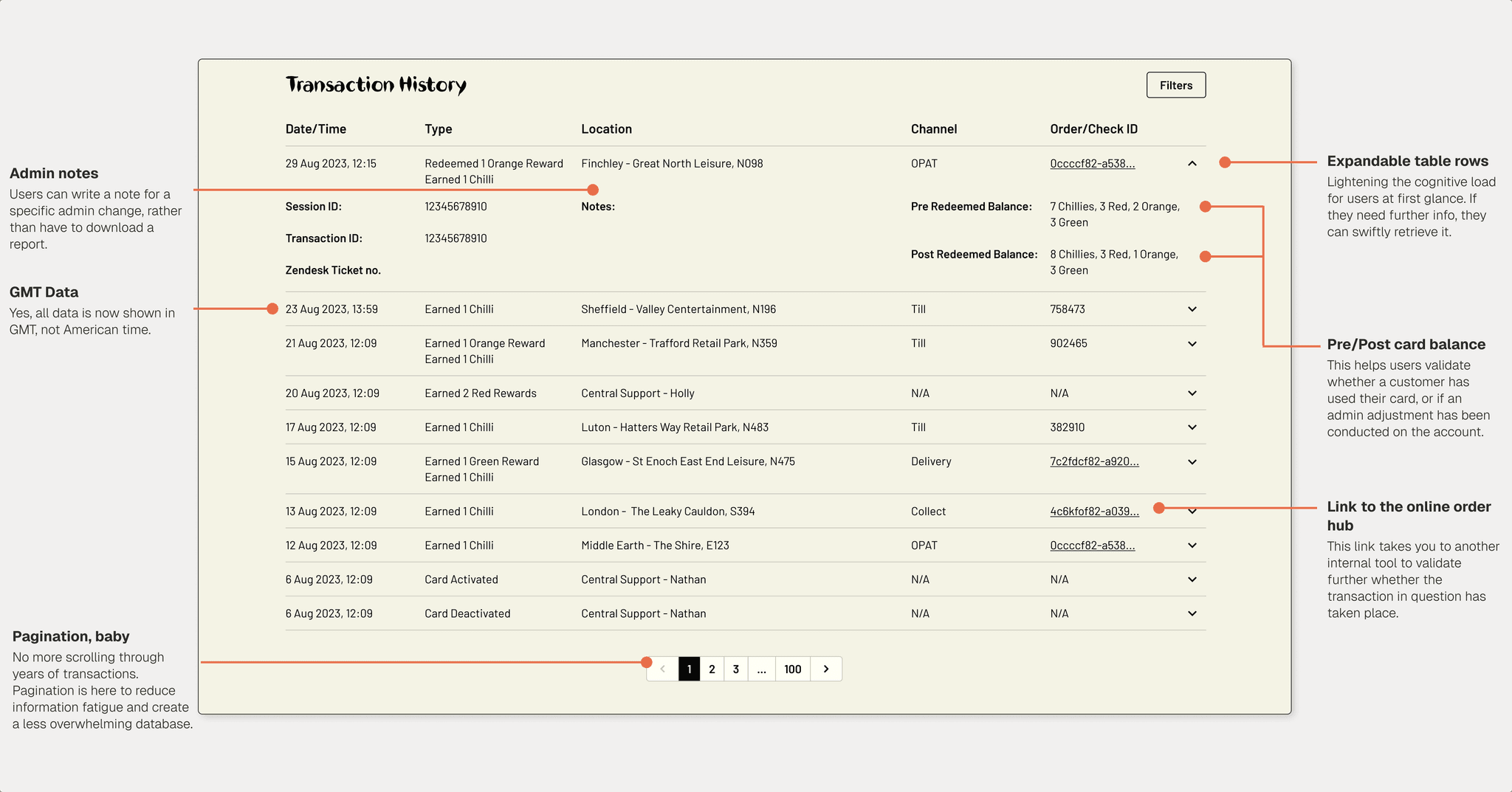
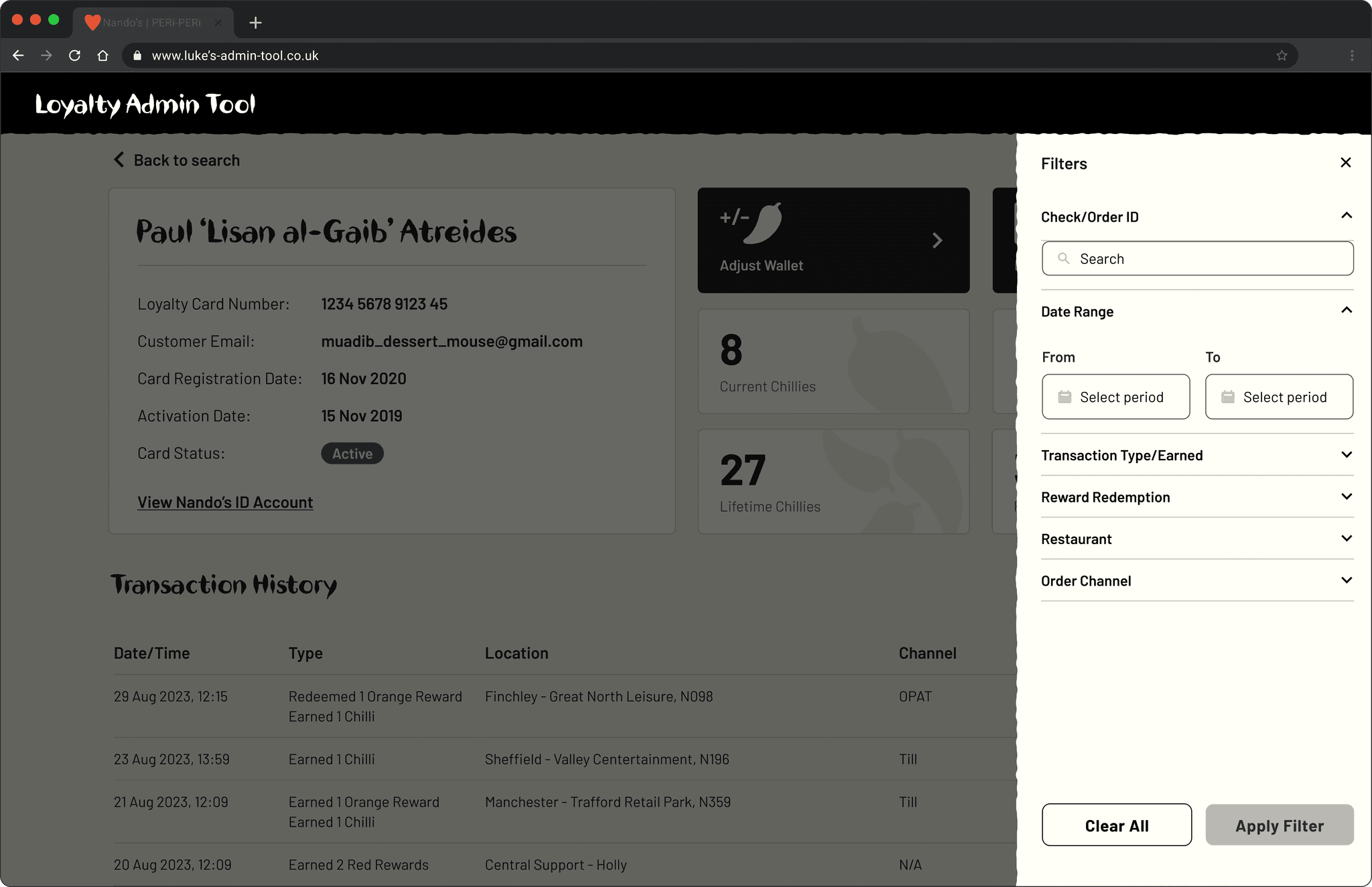
In-depth filtering

*
*
Decision
Pagination, expanded rows, filters, GMT timestamps
*
*
Learning 01
There is still too much information displayed at once
*
*
Reasoning
Reduce cognitive load, and to find information instantly
*
*
Learning 01
There is still too much information displayed at once
[ Design breakdown ]
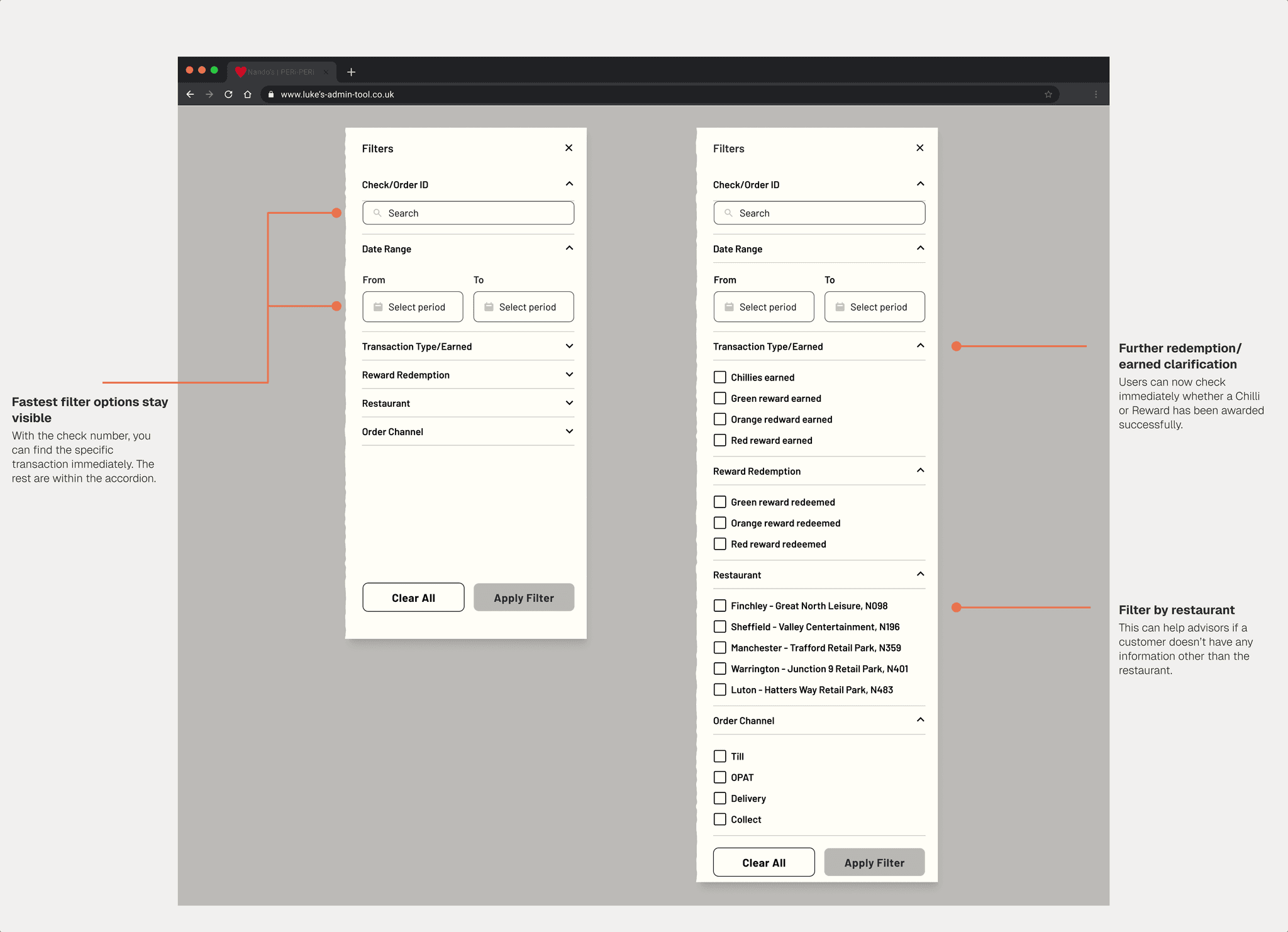
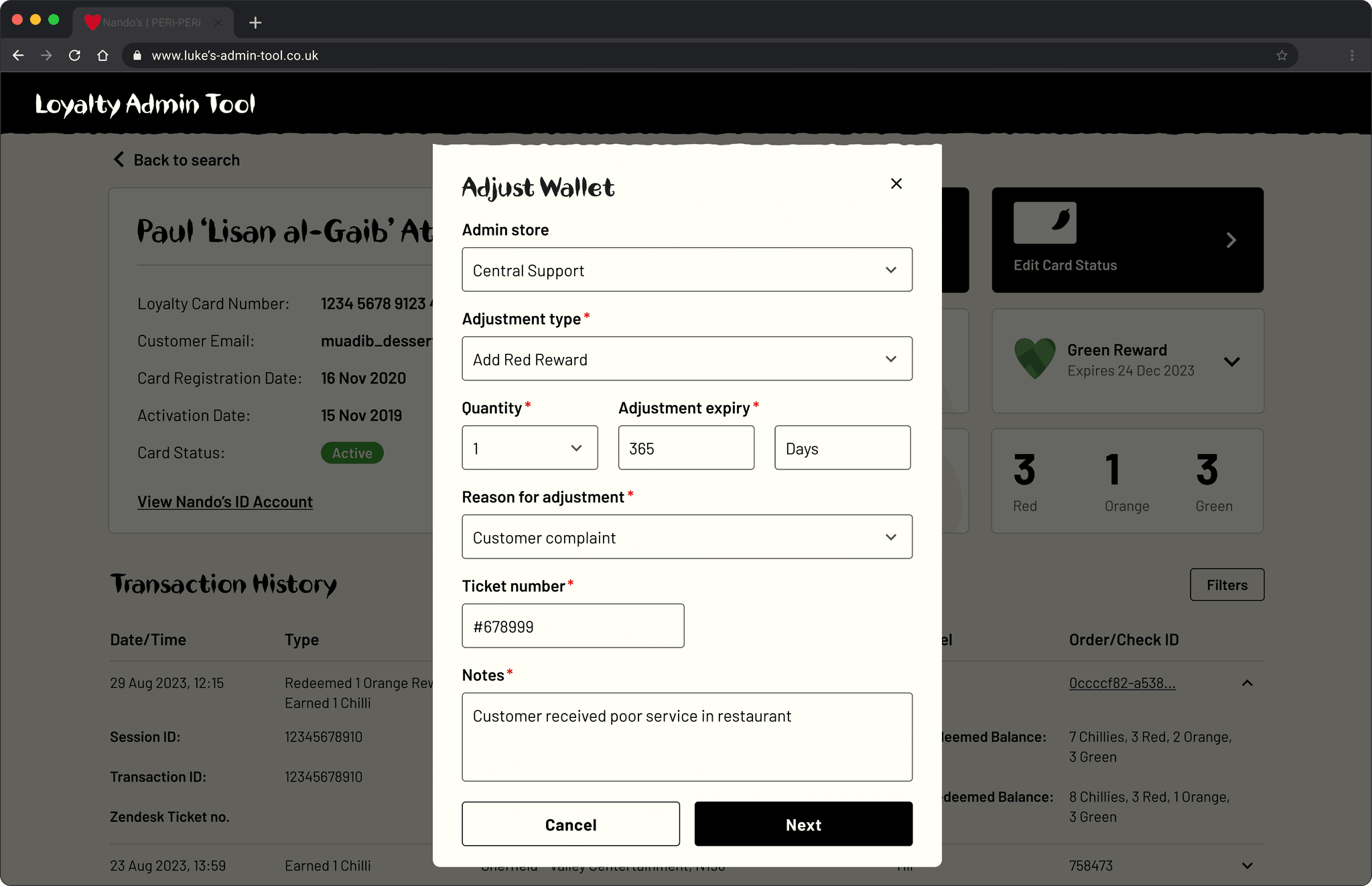
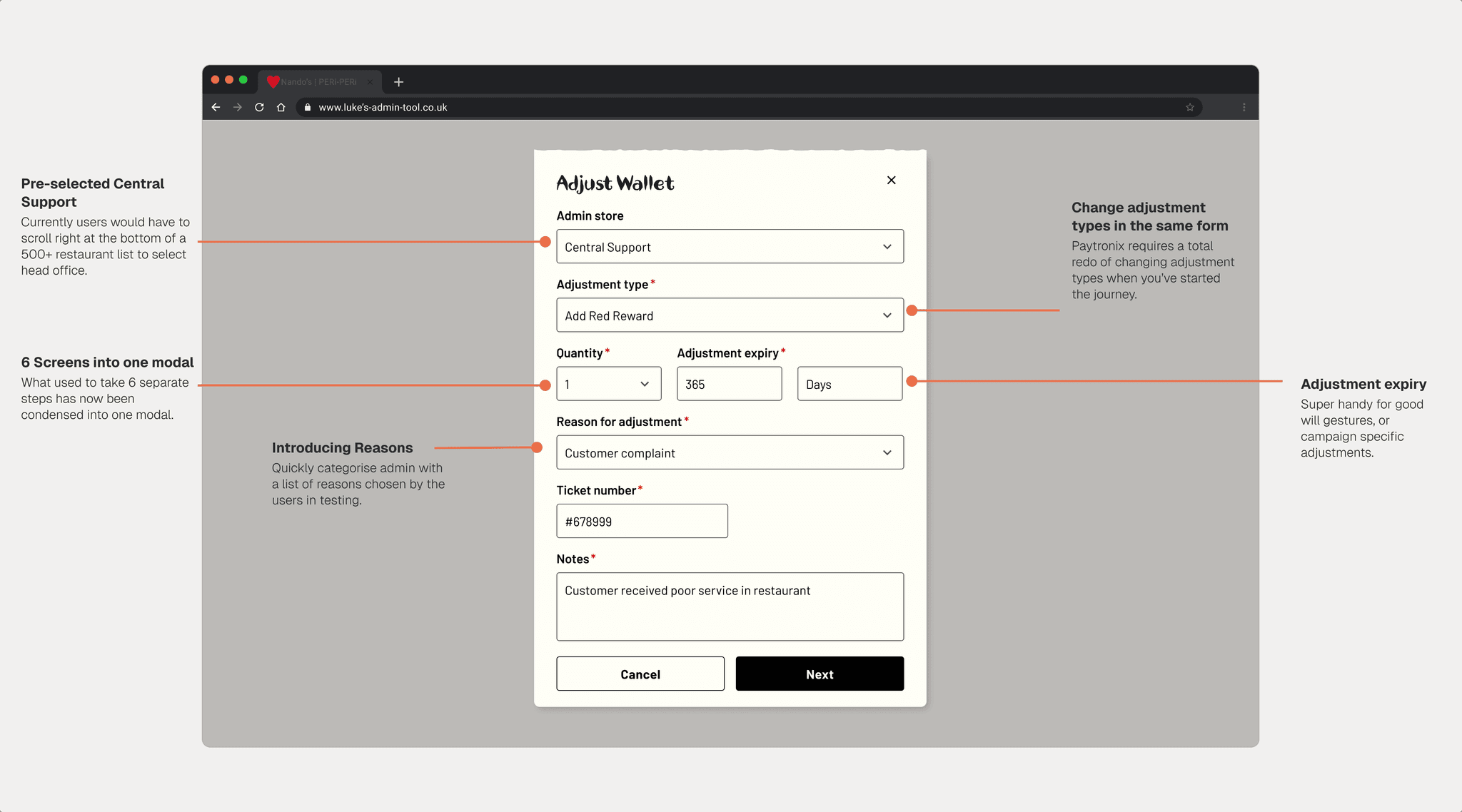
Modal flows
*
*
Decision
Replace multi-screen flows with a 2-step modal
*
*
Learning 01
There is still too much information displayed at once
*
*
Reasoning
Users wanted validation of customer's account
*
*
Learning 01
There is still too much information displayed at once
[ Design breakdown ]
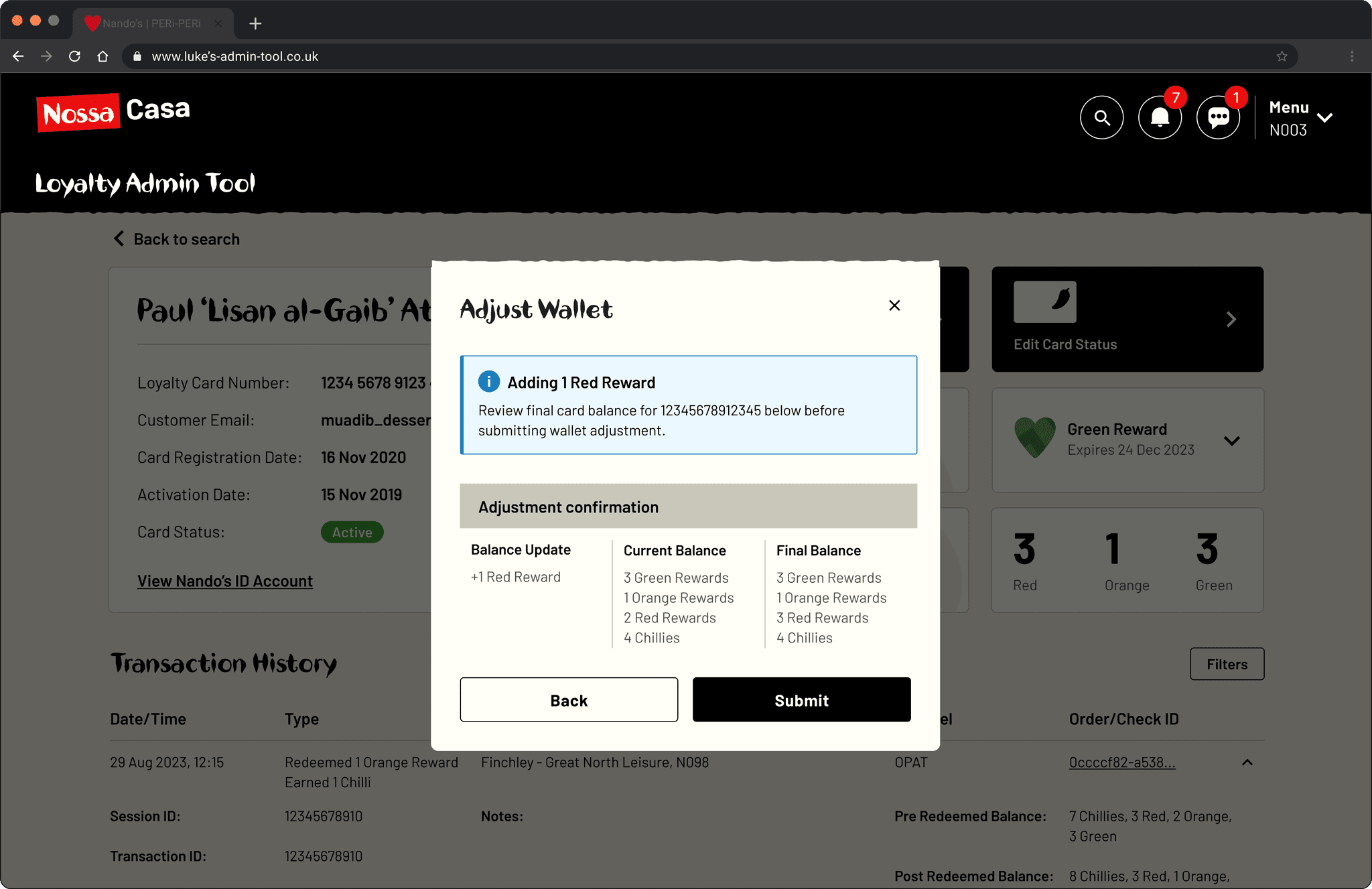
Error prevention
*
*
Decision
Confirmation steps before every adjustment
*
*
Learning 01
There is still too much information displayed at once
*
*
Reasoning
Sometimes we send 100 Rewards to someone, accidentally
*
*
Learning 01
There is still too much information displayed at once
Impact
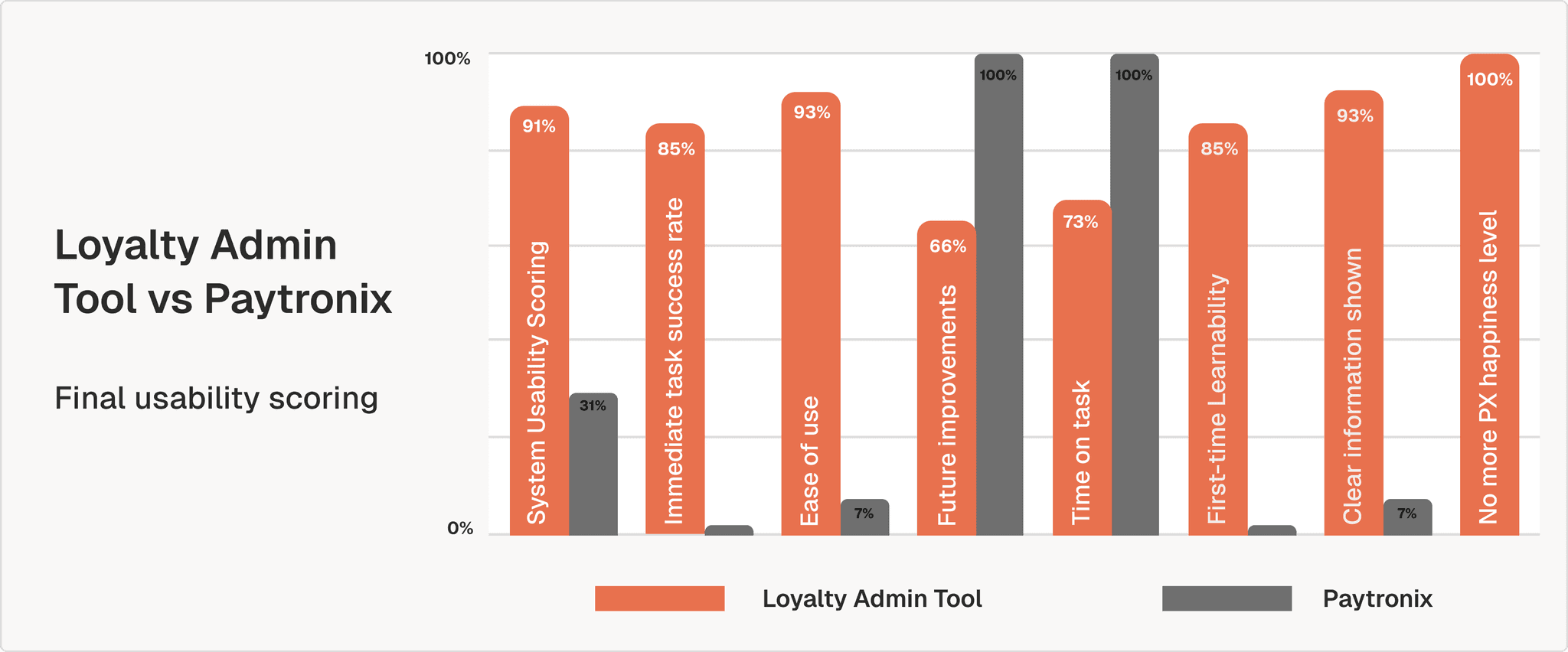
Final results in acceptance testing. We have happy users, y'all.
91/100
System Usability Scale
85%
Immediate task success rate
93%
Ease of use
66%
Further improvements
73%
Time on task
85%
First-time learnability
93%
Clear information shown
100%
No more Paytronix happiness level
The scale
The Loyalty Admin Tool went live in March 2025, as Nando's began migrating over 10 million Loyalty accounts from Paytronix to the new provider. This wasn't just a redesign of a tool, but it is the operational backbone of a massive loyalty programme in the UK.
Presenting in front of the Customer Team
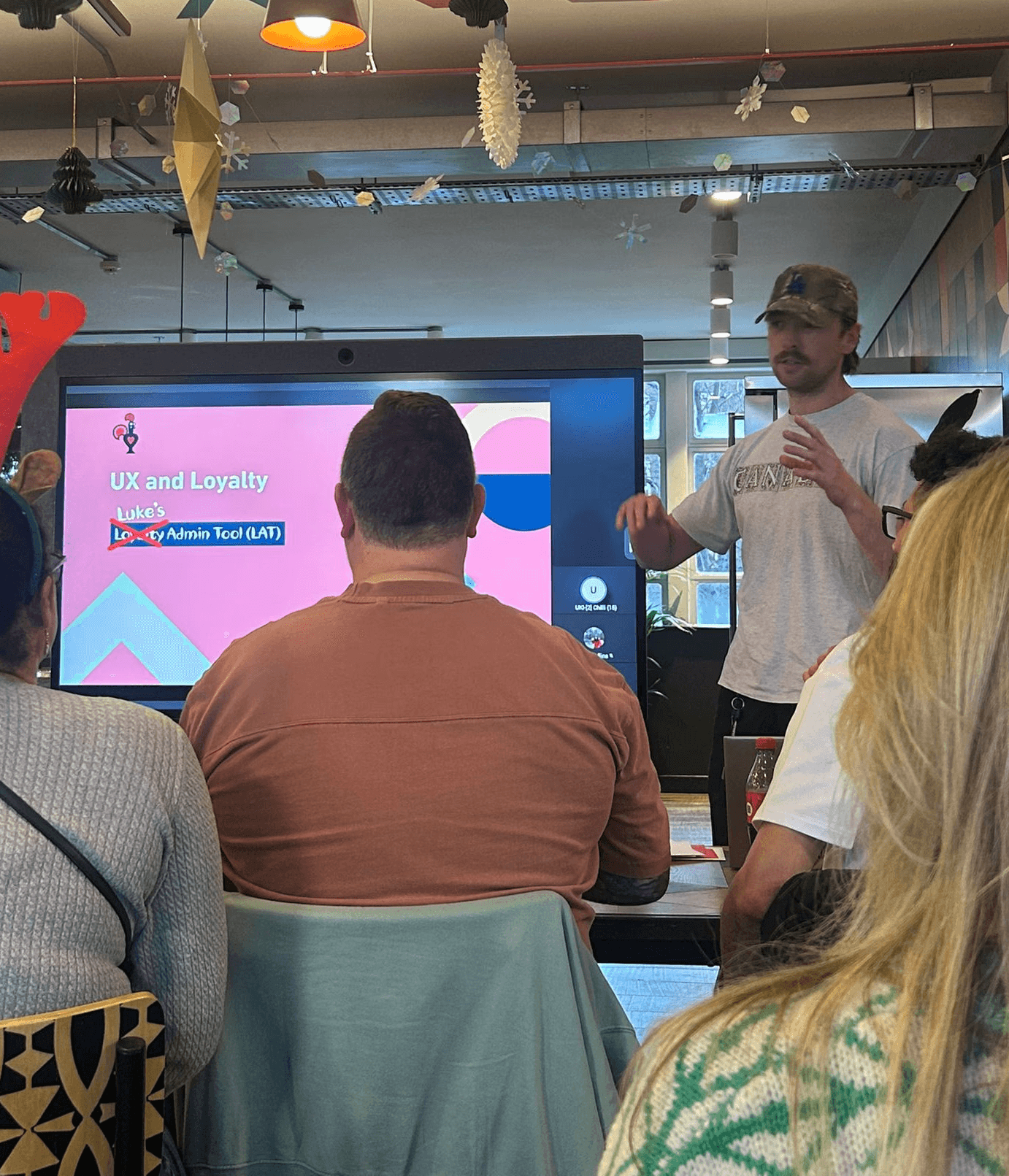
There's 70 people in the audience here (I promise).
Three things I'd do differently
01 Involve wider stakeholders earlier.
If I had brought everyone along for the journey like I did with the users it would have vastly improved buy-in.
02 Share research findings sooner.
Similarly with the above point - engineers would know exactly why I'm suggesting design patterns and features if I shared the reports long before the build.
03 Check both microphones before conducting an interview.
I may or may not have muted both my mic and the room's mic during a usability session. Something that's scarred me and now I diligently check 20 times before hitting record.
What's next?
01 V2 delivered impartial customer search, transaction drop-downs, and advanced filtering.
02 V3 is ongoing, informed by weekly check-ins with advisors through a dedicated Slack channel. The product is live and still being shaped by the people who use it.